Timer Start Event
Starts the process at a defined moment: a specific date, a recurring cycle, or after a duration. Thin circle with a clock icon.
The Timer Start Event puts the process on a schedule. The timer definition supports three flavors: a fixed date (run once on March 1st), a cycle (every Monday at 08:00), or a duration (30 days after deployment).
It is the standard opener for recurring back-office routines — closings, reports, reconciliations.
When to use and avoid
When to use
For recurring routines: monthly closing, weekly payroll report, daily reconciliation.
For processes that must run once at a specific date/time.
To replace cron-job scripts with a governed, visible process.
When NOT to use
To add a delay mid-process — that is an Intermediate Timer Event.
To time-out an activity — attach a Timer Boundary Event to it instead.
When the real trigger is a business condition, not the calendar — use a Conditional Start.
Business example
Weekly timesheet consolidation
Open this example in the HEFLO process editor and explore the diagram from the inside.
Open in the HEFLO editor →Step by step
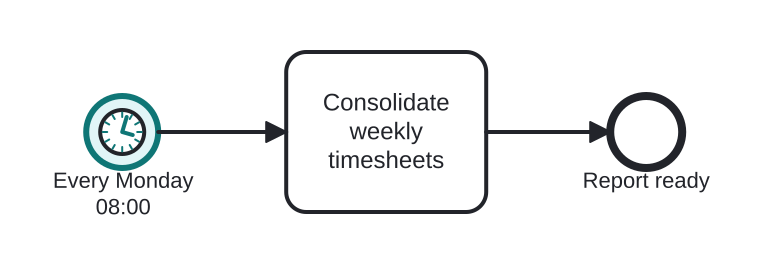
- The Timer Start Event (highlighted) fires every Monday at 08:00, creating a fresh instance.
- Consolidate weekly timesheets runs automatically.
- The instance ends with the report ready.
Differences
Difference between a Timer Start and an Intermediate Timer
The Timer Start creates instances on a schedule. The Intermediate Timer pauses an instance that already exists. Schedule → start; wait → intermediate.
FAQ
How is the schedule expressed?
The spec uses ISO 8601: timeDate (2026-03-01T08:00), timeCycle (R/P1W for weekly repeats) or timeDuration (P30D). Tools usually offer a friendly editor on top.
What happens if the previous run hasn't finished?
A new instance starts anyway — instances are independent. If overlap is a problem, model an explicit check at the start of the flow.