Message Start Event
Starts a new process instance when a message arrives from another participant. Thin circle with a light (unfilled) envelope icon.
The Message Start Event is how a process reacts to the outside world: a customer sends an order, a partner submits a claim, another system posts a request — and a new instance is created to handle it.
In a collaboration diagram, a dashed Message Flow from the sender's Pool into this event makes the trigger explicit.
When to use and avoid
When to use
When each incoming request from another participant must create its own process instance.
For system integrations where an external call spawns the process.
When you want the trigger documented and enforceable by the engine.
When NOT to use
When the message should be received mid-process by an instance that already exists — use an Intermediate Message Catch Event or Receive Task.
For broadcasts with unknown receivers — that is a Signal Start Event.
For internal hand-offs inside the same Pool — messages only exist between participants.
Business example
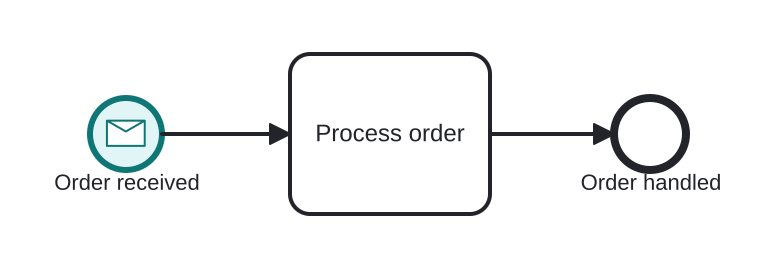
A customer order creates a fulfillment instance
Open this example in the HEFLO process editor and explore the diagram from the inside.
Open in the HEFLO editor →Step by step
- The Message Start Event (highlighted) fires when the customer's order message arrives — one instance per order.
- Process order handles the new instance.
- The instance ends when the order is handled.
Differences
Difference between a Message Start Event and an Intermediate Message Catch
The Start creates a *new* instance when the message arrives. The Intermediate Catch makes an *existing* instance wait for a message. Ask: does this message begin the work, or resume it?
FAQ
How does the sender's message reach this event?
Through a Message Flow from the sender's Pool. Technically, engines bind the event to a channel — an API endpoint, a queue, an e-mail address.
What if two orders arrive at the same time?
Each message creates its own independent instance — that is exactly the point.