None Start Event
Marks where the process begins when no specific trigger is modeled. Drawn as a circle with a single thin border and no icon inside.
The None Start Event is the most common way to open a process: it says *the process starts here*, without committing to what causes it. It is the right choice when the trigger is a person deciding to start the work, or when the trigger simply isn't relevant to the model's purpose.
When to use and avoid
When to use
When the process is started manually by a user (e.g. an employee opens a request).
In descriptive models where the trigger adds no understanding.
As the default start while the real trigger is still being decided.
When NOT to use
When an incoming message starts the process — use a Message Start Event to make it explicit.
For scheduled processes — a Timer Start Event documents the schedule.
Inside an Event Sub-Process — its start must always have a trigger.
Business example
An employee opens a purchase request
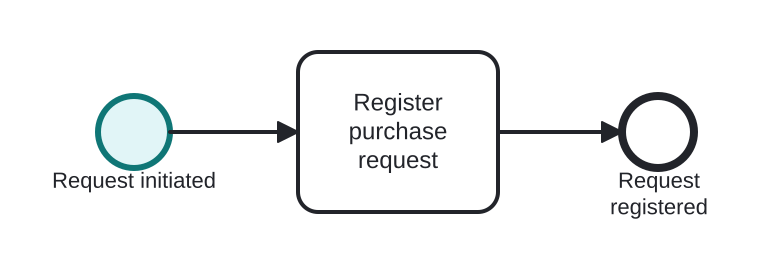
Open this example in the HEFLO process editor and explore the diagram from the inside.
Open in the HEFLO editor →Step by step
- The None Start Event (highlighted) opens the process — nothing external triggers it; an employee simply decides to start.
- Register purchase request captures the details.
- The process ends with the request registered.
Differences
Difference between a None Start and the typed starts
The None Start hides the trigger; the typed starts (Message, Timer, Conditional, Signal) document it and, on an engine, actually *react* to it. If knowing what kicks the process off matters, type the start.
FAQ
Can a process have more than one start event?
Yes — each start is an alternative way to begin an instance. Use it sparingly: multiple starts often read better as separate processes or as a single typed start.
Can a None Start Event exist in an executable model?
Yes; engines expose it as a manually startable process (via API, button or form). It just carries no automatic trigger.