Receive Task
A task that waits for a message from an external participant to arrive. The token pauses at the task until the message is received. Marked with an open (light) envelope icon.
The Receive Task (Receive Task) is the *activity* form of waiting for a message. It is the natural counterpart of the Send Task: one participant sends, the other receives.
Two features distinguish it from the equivalent catch event:
- As an activity, it accepts boundary events (attach a timer to time-out the wait) and loop/multi-instance markers (receive one message per item).
- The spec gives it an instantiate attribute: a Receive Task with
instantiate = truemay start a new process instance upon receiving the message — the activity equivalent of a Message Start Event.
When to use and avoid
When to use
When waiting for an external answer is a step of work the team tracks (e.g. Receive supplier quote, Receive signed contract).
When the wait needs a timeout: attach a Timer Boundary Event to escalate or follow an alternative path if nothing arrives.
When the reception should appear in activity-level metrics (how long do we wait for suppliers?).
When NOT to use
For a lightweight pause with no activity semantics — an Intermediate Message Catch Event is leaner.
When the message should start the process and you have no reason to prefer an activity — the Message Start Event is the conventional choice.
For synchronization *within* the same Pool — messages only exist between participants.
Business example
Waiting for a supplier's quote
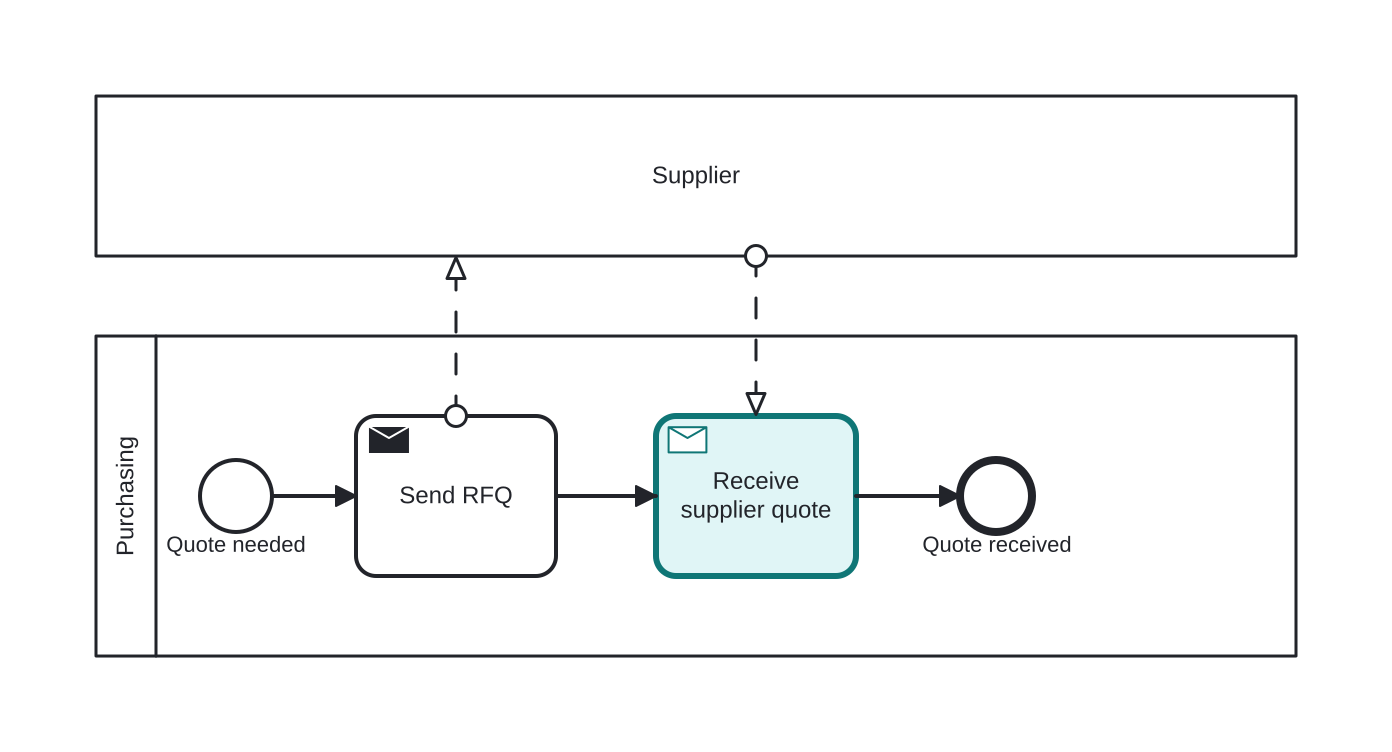
Open this example in the HEFLO process editor and explore the diagram from the inside.
Open in the HEFLO editor →Step by step
- Purchasing needs a quotation and sends an RFQ (request for quotation) to the Supplier Pool.
- The Receive Task “Receive supplier quote” (highlighted) holds the token: the process waits here until the supplier's message arrives through the dashed message flow.
- When the quote is received, the process finishes with the quote in hand.
In a production model, a Timer Boundary Event on the receive task would handle suppliers that never answer.
Differences
Difference between a Receive Task and an Intermediate Message Catch Event
Both pause the flow until a message arrives. The Receive Task is an activity — it accepts boundary events (timeouts!), loop/multi-instance markers and shows up in work metrics. The Catch Event is atomic and lighter. If you need a timeout on the wait, the task + timer boundary is the idiomatic pattern.
Receive Task with instantiate vs. Message Start Event
A Receive Task with instantiate = true can create a new process instance when its message arrives — functionally similar to a Message Start Event. The start event is the conventional, more readable choice; the instantiating receive task is rare and mostly used when the first step must be an activity.
FAQ
What if the message never arrives?
Attach a Timer Boundary Event to the receive task. When the deadline expires, the flow takes the alternative path (escalate, cancel, follow up) — with an interrupting boundary, the wait is abandoned.
How does the engine know which message belongs to which instance?
By correlation: a business key carried by the message (an order number, a ticket ID) is matched against the waiting instances. Every engine offers a correlation mechanism for this.