Loop Marker
The marker (↻) that makes an activity repeat while a condition holds — BPMN's while/do-while on a single activity.
The standard loop characteristic repeats one activity until its loop condition says stop, optionally testing before or after each iteration and bounded by a maximum count. It compresses “try again until accepted” into one marked activity instead of a gateway cycle.
When to use and avoid
When to use
For retry-until-success steps: contact attempts, negotiation rounds, quality re-checks.
When iterations are sequentially dependent — each repeat considers the previous outcome.
To declutter diagrams from small backward-arrow loops.
When NOT to use
When iterations run per item of a collection — that is multi-instance, not loop.
When the cycle spans several activities — model an explicit gateway loop.
When no termination condition exists — unbounded loops are a modeling bug.
Business example
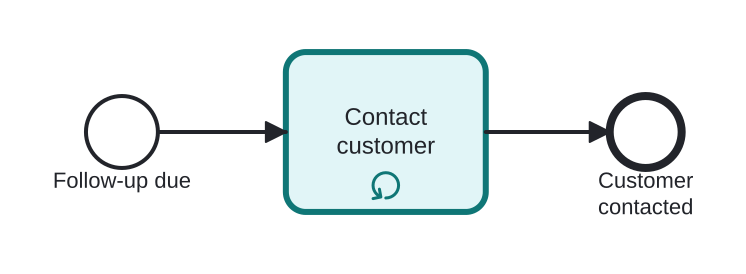
Calling the customer until reached
Open this example in the HEFLO process editor and explore the diagram from the inside.
Open in the HEFLO editor →Step by step
- Contact customer (highlighted, loop marker ↻) executes.
- The loop condition “customer not reached yet” re-runs it — attempt after attempt, with a sensible maximum.
- Once contact succeeds (or the cap hits), the flow moves on.
Differences
Loop vs Multi-Instance
Loop repeats the same work while a condition holds (unknown count, sequential by nature). Multi-Instance creates one execution *per collection item* (count known when it starts, parallel or sequential). Condition-driven → loop; data-driven → MI.
FAQ
Where is the loop condition defined?
On the activity's loop characteristics: the boolean expression, testBefore flag and optional loopMaximum.
How do I escape a stuck loop?
Set loopMaximum, or attach an interrupting timer boundary to the looping activity as a safety valve.