Data Collection
The marker (three vertical bars) indicating a data object holds MULTIPLE items — a list, not a single record.
The Collection marker turns a data object into a set: Orders instead of Order, Candidates instead of Candidate. It pairs naturally with multi-instance activities, which iterate exactly over such collections — the visual link between plural data and per-item work.
When to use and avoid
When to use
To represent lists the process handles: order lines, applicants, invoices of the day.
Feeding a multi-instance activity — the collection is its input set.
When the singular/plural distinction genuinely matters to understanding.
When NOT to use
For a single record — plain data object.
For persistent tables — that's a Data Store (which is inherently multi-record).
As decoration when cardinality is irrelevant to the reader.
Business example
A batch of orders as one collection
Open this example in the HEFLO process editor and explore the diagram from the inside.
Open in the HEFLO editor →Step by step
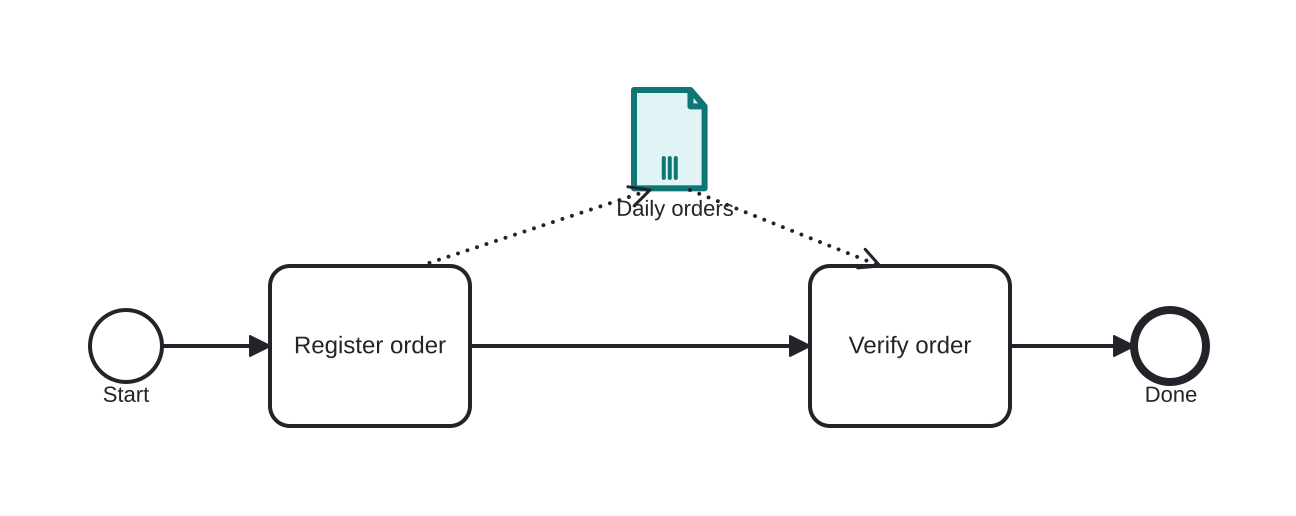
- Register order produces the collection “Daily orders” (highlighted — note the three-bar marker on the artifact).
- The consuming task processes the batch — in an executable model, typically a multi-instance activity iterating per item.
- Cardinality is visible at a glance: this is a *list*, not one record.
Differences
Collection vs Data Store
A collection is still instance-scoped working data — just plural. The store is persistent and shared. A list inside the case → collection; the permanent table it came from → store.
FAQ
How does a multi-instance activity use the collection?
The MI characteristics reference it as loop data: one activity instance per element, parallel or sequential.
Is the marker the same as the multi-instance marker on tasks?
Visually similar (three bars) but on different shapes: on data = plural content; on activities = repeated execution.