Group
A rounded dashed-line frame that visually groups related elements — across lanes and even Pools — without any effect on execution.
The Group draws a categorical circle around things that belong together conceptually — 'the document-handling steps', 'phase 1' — with zero structural consequences: no scoping, no boundaries for events, no data context. Unlike sub-processes, a group may even span multiple Pools, since it is pure annotation.
When to use and avoid
When to use
To highlight a phase or theme across the diagram for readers.
To mark elements discussed together in documentation or reviews (e.g. audit scope).
When the grouping must cross lane/Pool borders — nothing else can.
When NOT to use
When the group should behave as a unit (boundaries, deadlines, scoping) — that is a Sub-Process.
As pseudo-structure the execution should honor — engines ignore groups.
When color/position already conveys the grouping clearly.
Business example
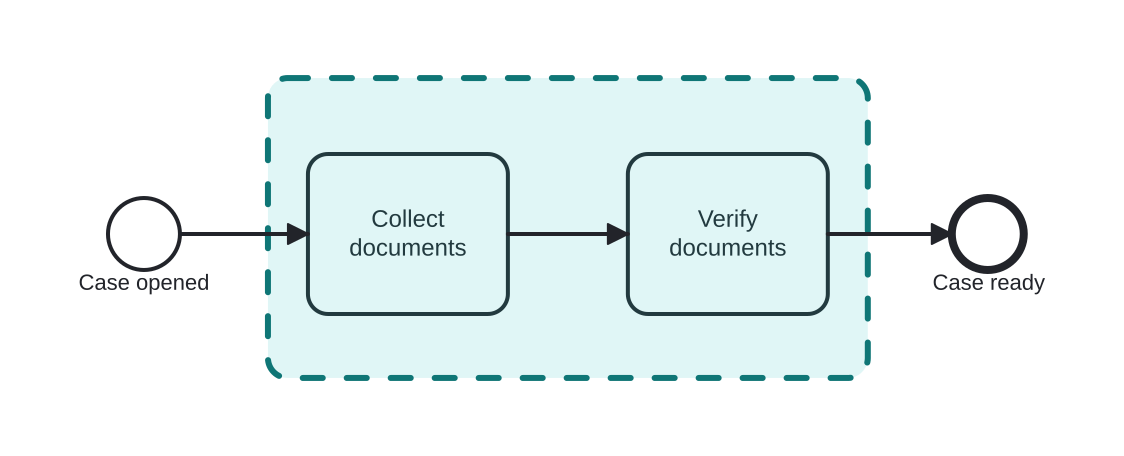
Framing the document-handling phase
Open this example in the HEFLO process editor and explore the diagram from the inside.
Open in the HEFLO editor →Step by step
- The Group (highlighted, rounded dashed frame) encircles the two document steps.
- It names the phase visually — nothing about token flow changes.
- If this phase ever needs a shared deadline or error handler, promote it to a sub-process; groups don't scope.
Differences
Group vs Embedded Sub-Process
Both draw a box around elements. The sub-process creates real structure (scope, boundaries, collapse/expand). The group is a dashed highlight with no semantics — but it can cross Pools, which a sub-process never can.
FAQ
Can a group cross Pools and lanes?
Yes — the only container-looking element allowed to, precisely because it means nothing to execution.
How is a group categorized?
Via a CategoryValue (its label), letting several groups share a category across diagrams.