Business Process Deadline Control

Control deadlines before process delays become customer-facing problems

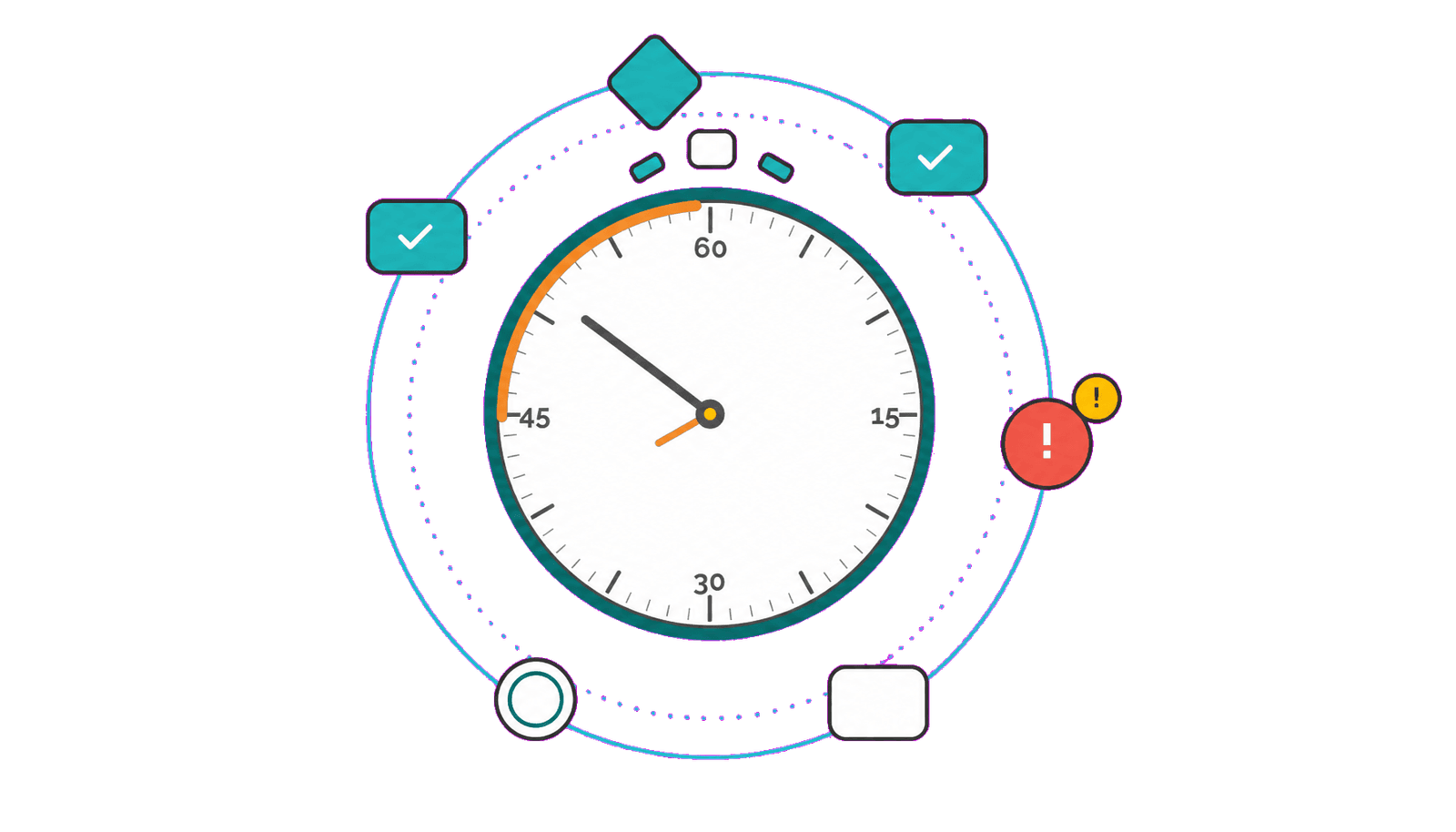
Final deadlines are usually missed step by step, as approvals, reviews, handoffs, or tasks consume more time than planned.

HEFLO helps control process and task deadlines with calendars, alerts, escalations, and visibility connected to the workflow logic.

Talk to our team

Deadline control is not bureaucracy. It protects the final commitment.

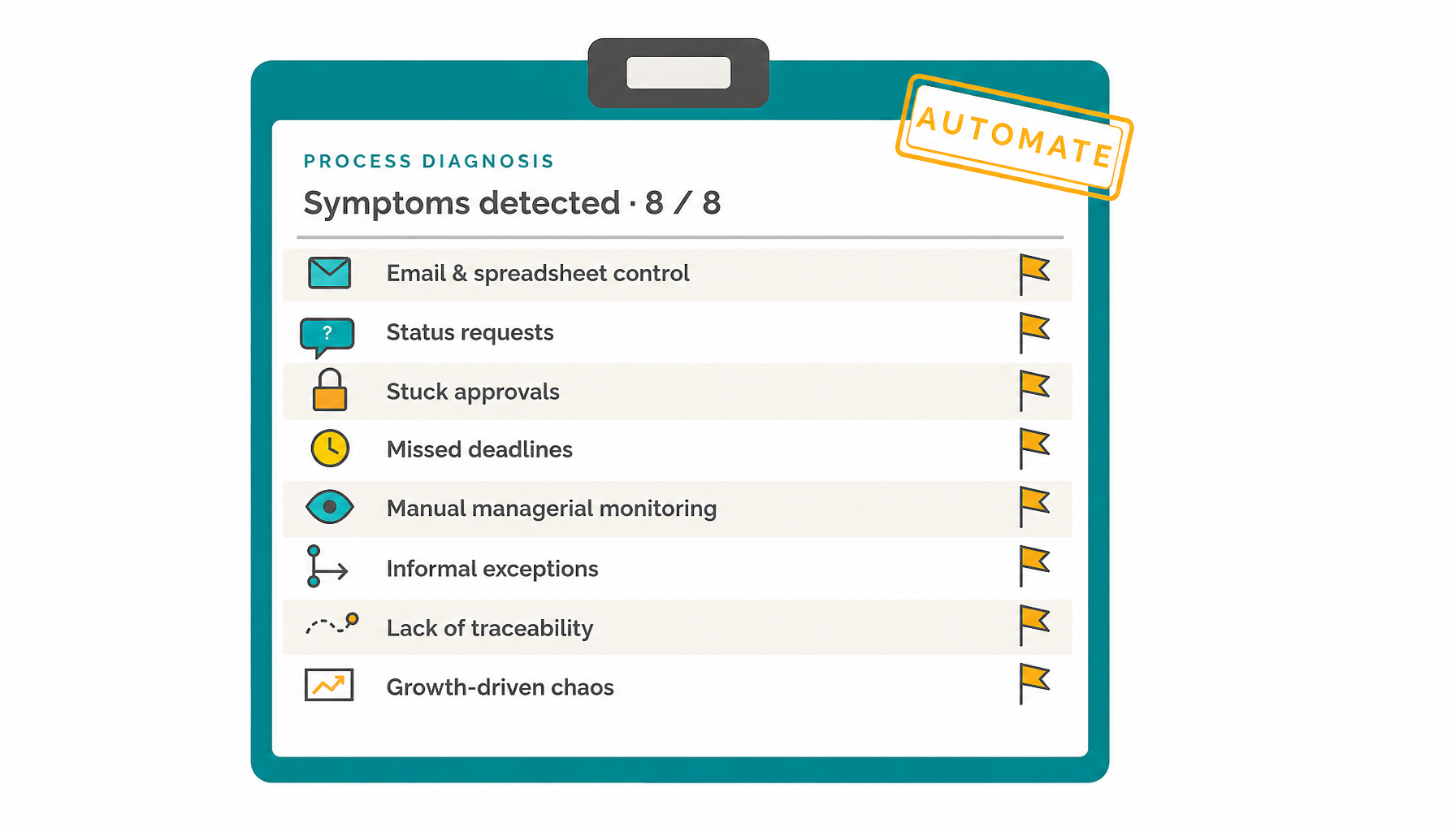
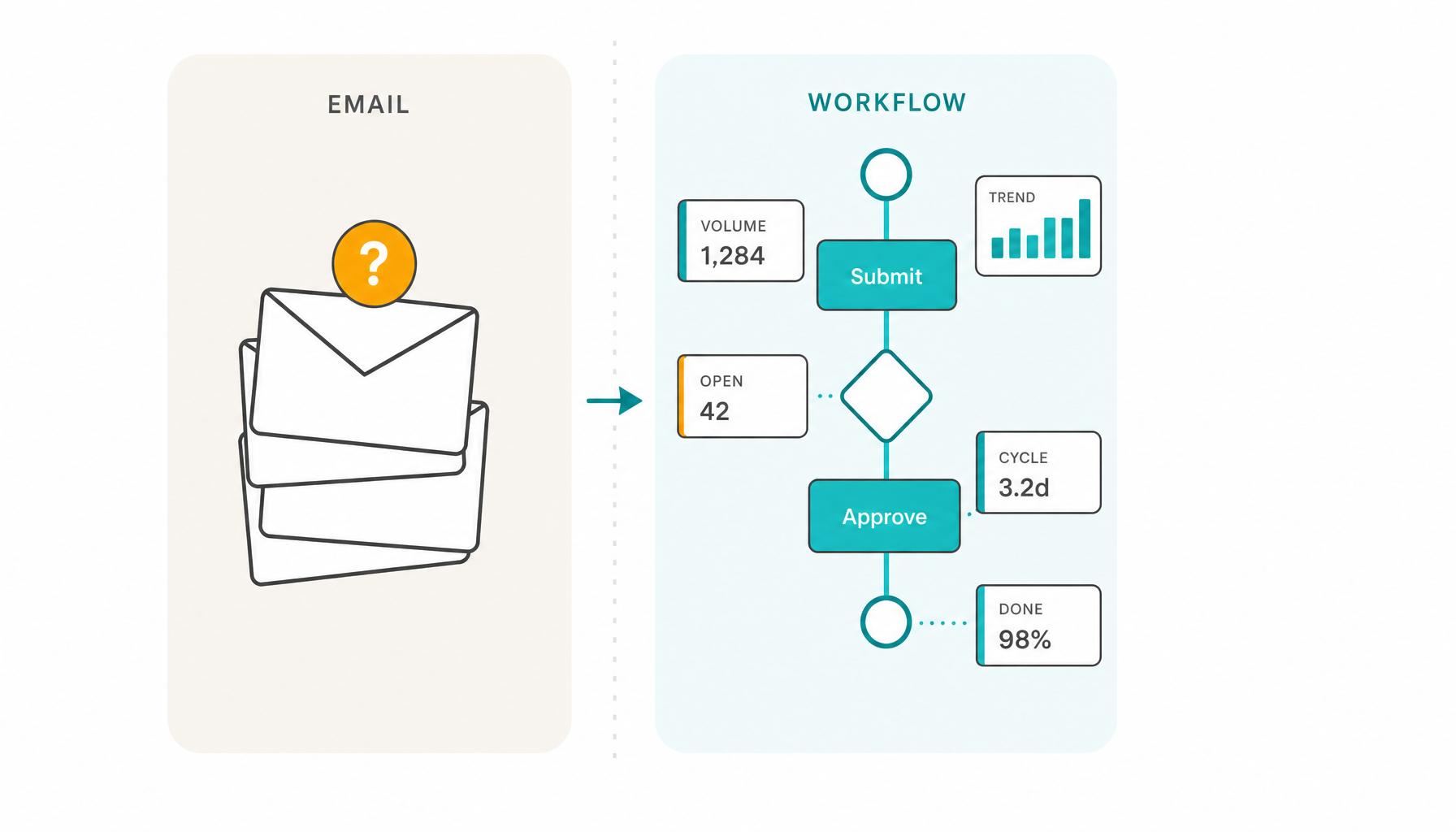
Spreadsheet and email-based control often track the final due date, but not the steps that make that deadline possible. By the time a delay is visible, one approval, review, or handoff may already have consumed too much time.

A process-driven workflow controls both levels: the overall process deadline and the deadline for each task. Step-level alerts and escalation rules help teams act while there is still time to protect the final commitment.

The goal is not to micromanage people. The goal is to make the process predictable enough that teams can act before delays become visible to customers, employees, suppliers, or partners.

Where deadline control usually breaks in real processes

Deadline problems rarely begin at the final due date. They usually appear earlier, inside approvals, reviews, handoffs, waiting steps, unclear ownership, or exception paths.
Talk to our team
Approval workflows often look simple until one approval step consumes most of the available time. The final deadline is still in the future, but recovery time is already being lost.
Deadlines become fragile when work moves between teams without clear ownership, work item visibility, and escalation rules for the next responsible role.
A process may still be active, but repeated reviews can silently consume the final deadline unless each review and rework step has its own time boundary.
Some delays happen because the process depends on customers, suppliers, partners, or other systems. Those exceptions need controlled visibility instead of informal side notes.
Internal service requests need visibility before the final due date is already at risk, especially when multiple departments contribute to the response.
Without step-level deadline visibility, managers often discover delays only after the process is overdue or after someone asks for a status update.

What effective process deadline control requires

Effective deadline control connects dates to the way work actually flows: tasks, decisions, calendars, roles, alerts, exceptions, and execution history.

The final commitment that the process must protect.

Process-level deadline

The final commitment that the process must protect.

Specific time limits for approvals, reviews, handoffs, and operational work.

Task-level deadlines

Specific time limits for approvals, reviews, handoffs, and operational work.

Deadline calculations that respect working hours and holidays.

Work calendars

Deadline calculations that respect working hours and holidays.

Notifications based on deadline progress and risk, not random reminders.

Progress-based alerts

Notifications based on deadline progress and risk, not random reminders.

Clear escalation paths when a task or process is approaching a critical point.

Role-based escalation

Clear escalation paths when a task or process is approaching a critical point.

Managers focus on cases that deviate from the expected work pattern.

Exception visibility

Managers focus on cases that deviate from the expected work pattern.

Traceability to understand where delays happen and improve the process.

Execution history

Traceability to understand where delays happen and improve the process.

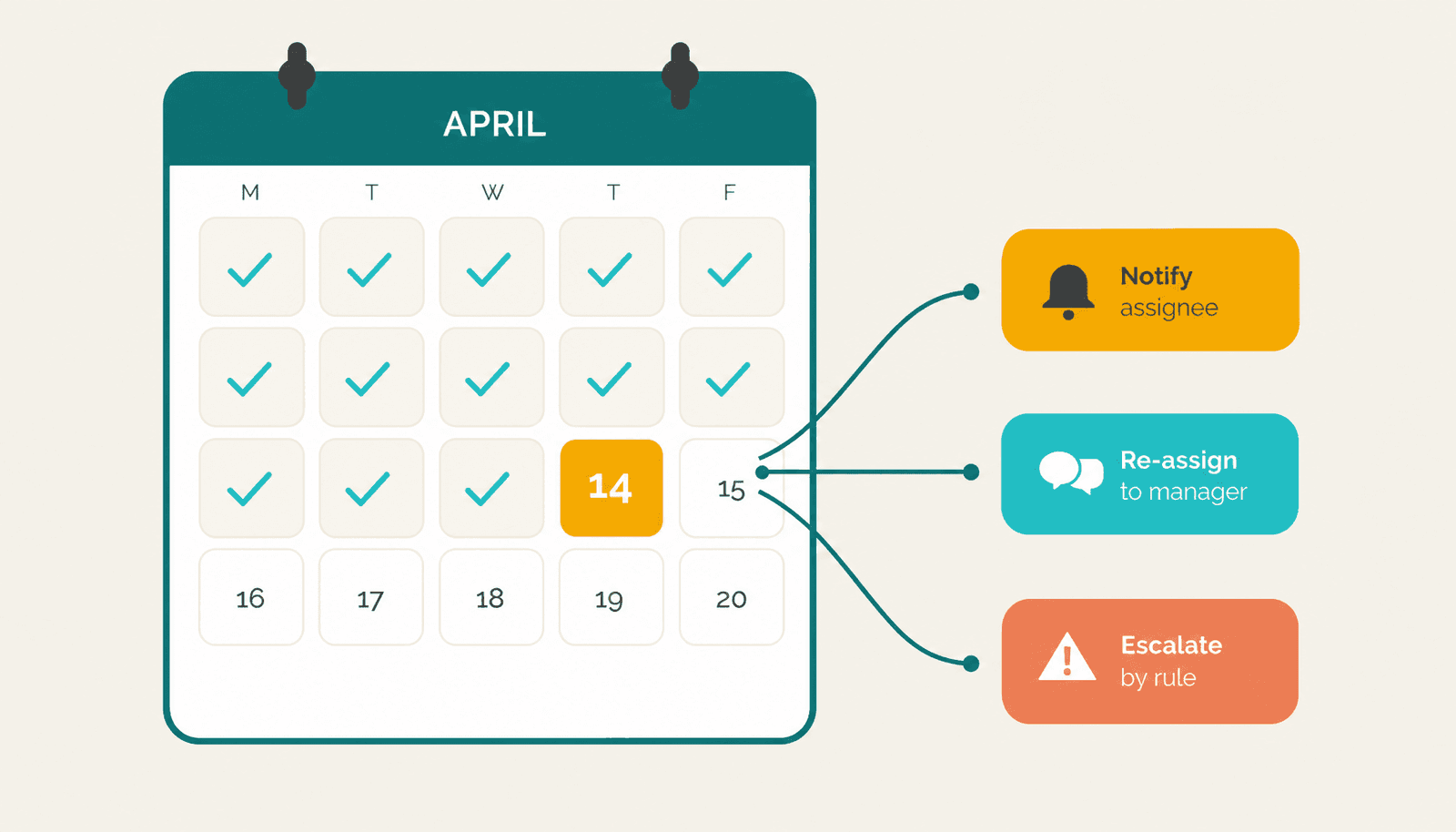
Deadline actions can follow business rules, making alerts and updates case-sensitive without losing standardization.
Rule-based actions

Deadline actions can follow business rules, making alerts and updates case-sensitive without losing standardization.

When simple deadline tracking stops being enough

Simple tools can work when the work is linear, low-risk, and handled by a small team. A spreadsheet, task manager, Kanban board, or email reminder may be enough for simple coordination.

But as soon as deadlines depend on approvals, handoffs, rules, exceptions, multiple departments, work calendars, responsibility changes, and escalation paths, tracking dates is not enough.

The organization needs a process that can monitor each step, alert the right people, update responsibility when needed, escalate risk, and preserve execution history.

Deadline control should reduce bureaucracy, not create it

The purpose of deadline control is not to add unnecessary supervision. It is to reduce informal follow-up, unclear ownership, repeated status requests, and last-minute pressure.

When deadlines are part of the process model, people know when they need to act, managers know when a case is at risk, and escalation follows predefined rules.

HEFLO can use progress-based triggers, notifications, responsibility changes, and deadline status levels so that action happens before the final commitment is lost.

The result is less manual chasing and more predictable execution.
Manage by exception instead of monitoring every task manually

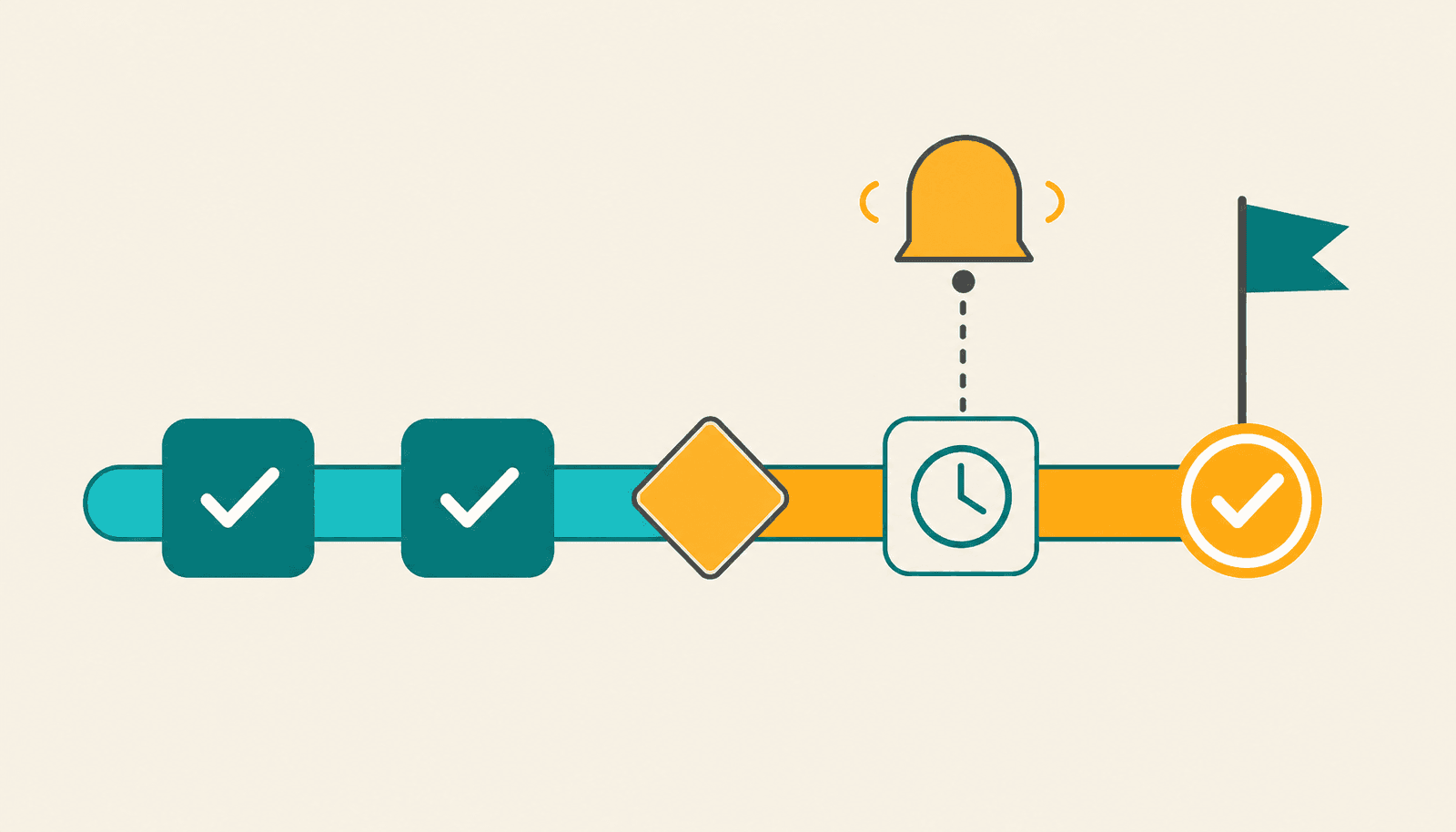
Managers should not need to inspect every task to know whether work is moving. A well-designed process alerts the right people when something deviates from the expected pattern.

HEFLO can help teams configure task deadlines, process deadlines, calendar-aware calculations, and progress-based triggers so managers act when intervention is needed, not when everything is running normally.

This supports delegation while preserving control.

Deadlines should follow real working time

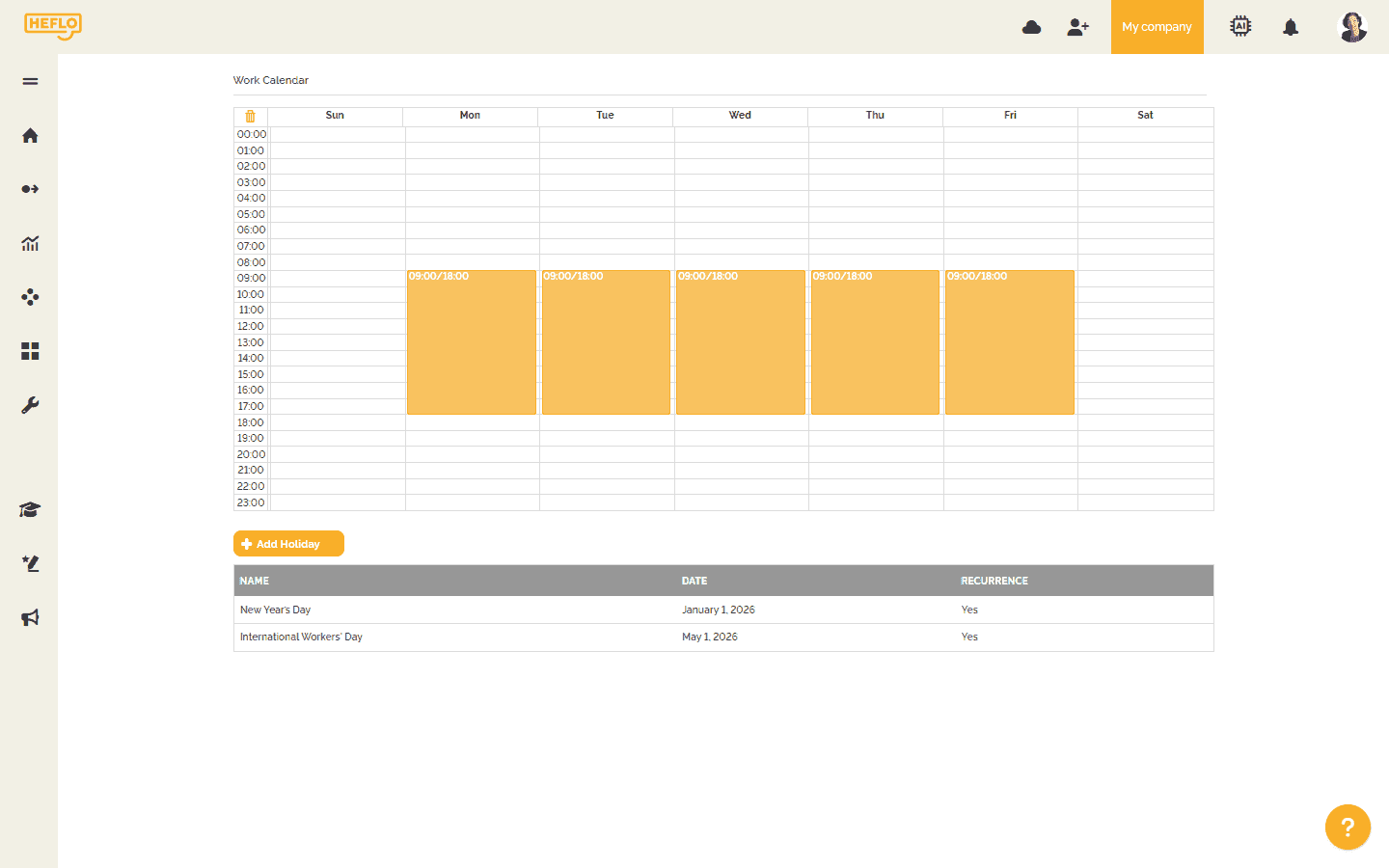
A deadline is only useful when it reflects how work actually happens. HEFLO can calculate deadlines using work calendars that consider working hours and holidays.

Organizations can use a standard calendar or define specific calendars for certain processes or groups of processes. This helps avoid unrealistic deadline calculations and makes deadline control more aligned with operational reality.
Protect the final deadline by controlling each step

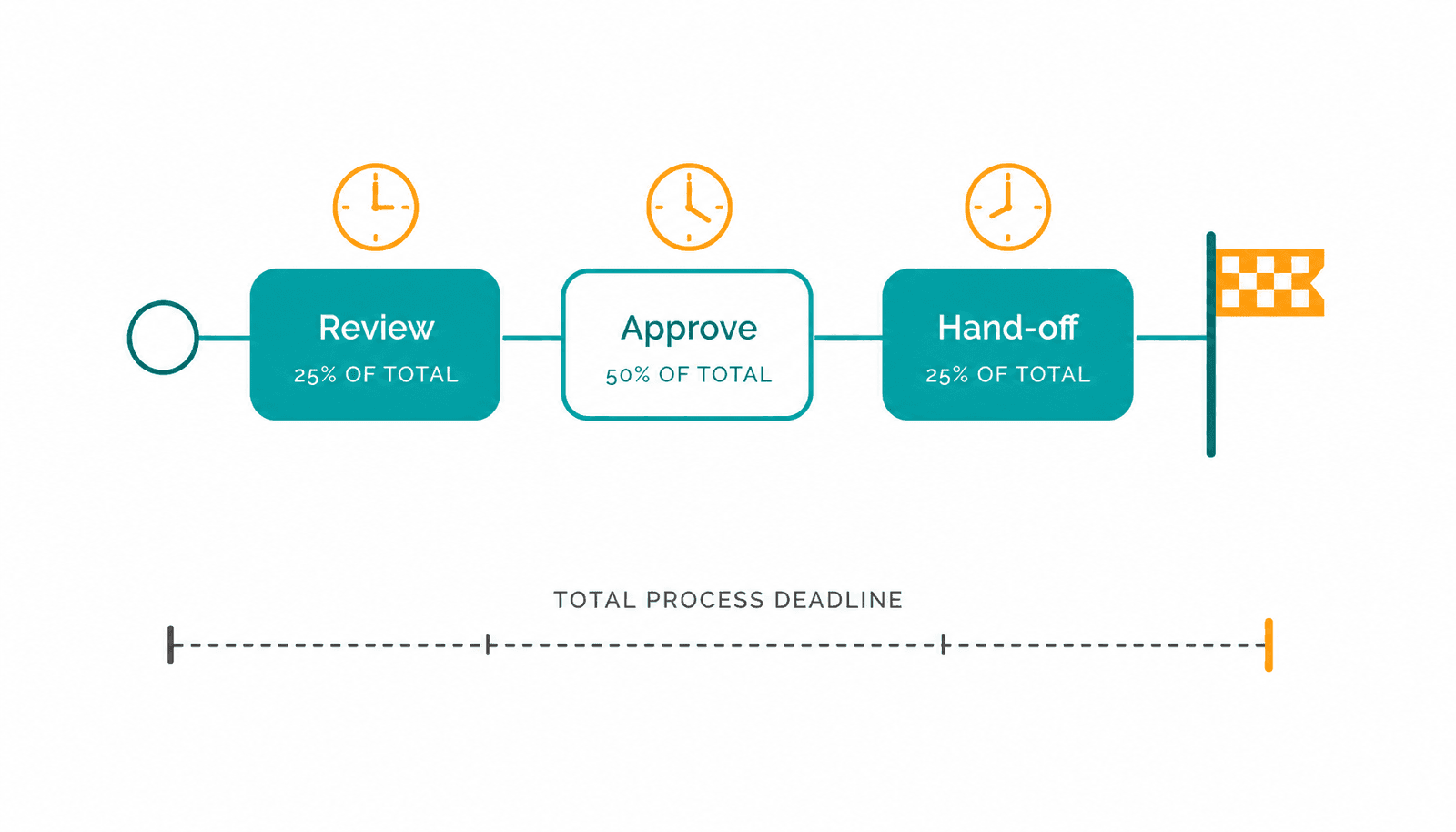
A process may have a final deadline, but each critical task also needs its own time boundary.

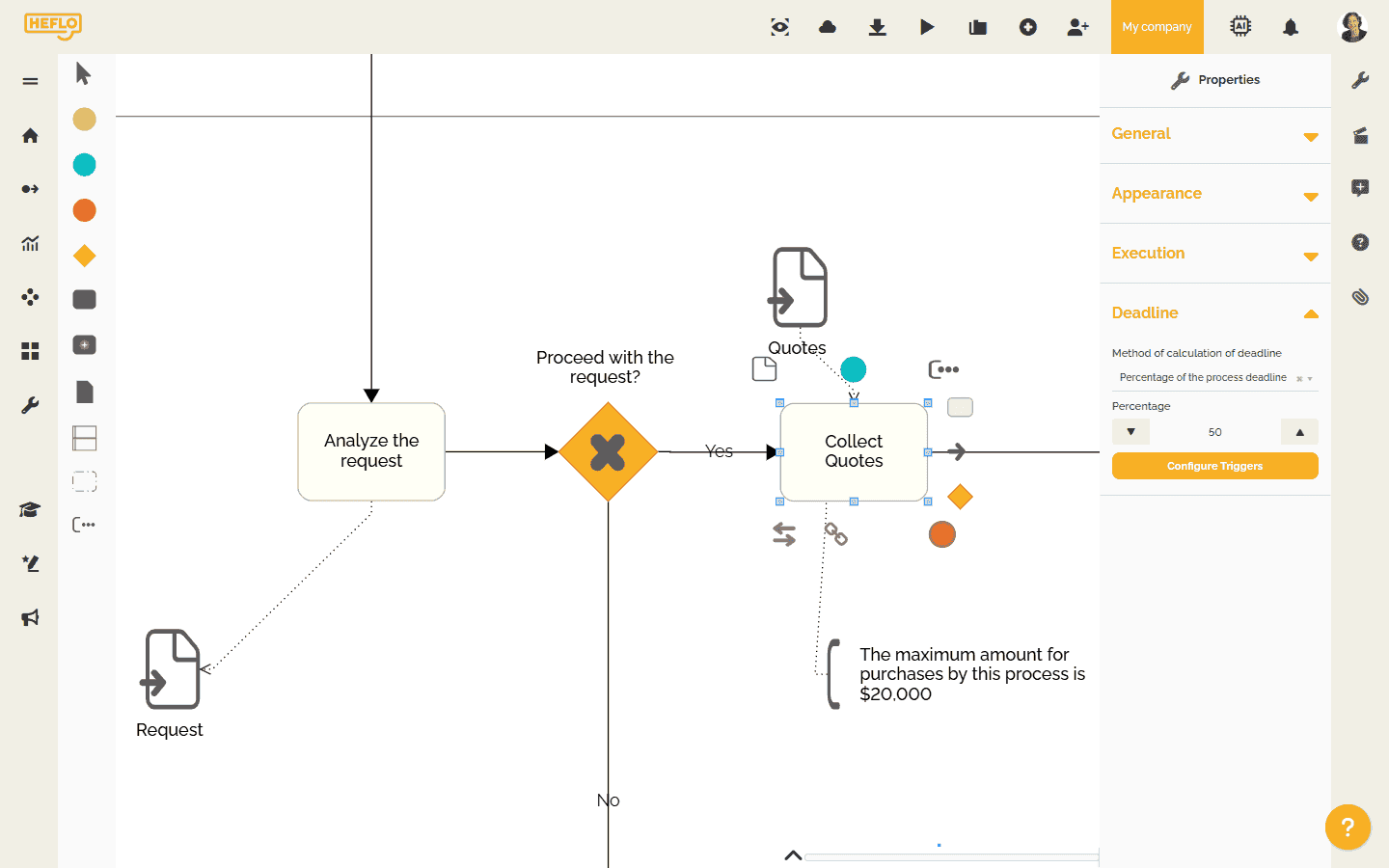
In HEFLO, task deadlines can be defined by constant values, process instance fields, or as a percentage of the total process deadline. This allows teams to reserve the right amount of time for approvals, reviews, handoffs, and operational activities before the final due date is at risk.

Stop protecting deadlines with manual follow-up

Model the process, define task and process deadlines, apply work calendars, configure alerts, and let the workflow guide execution before delays become visible to the customer.
Talk to our team

Model deadlines inside the business process
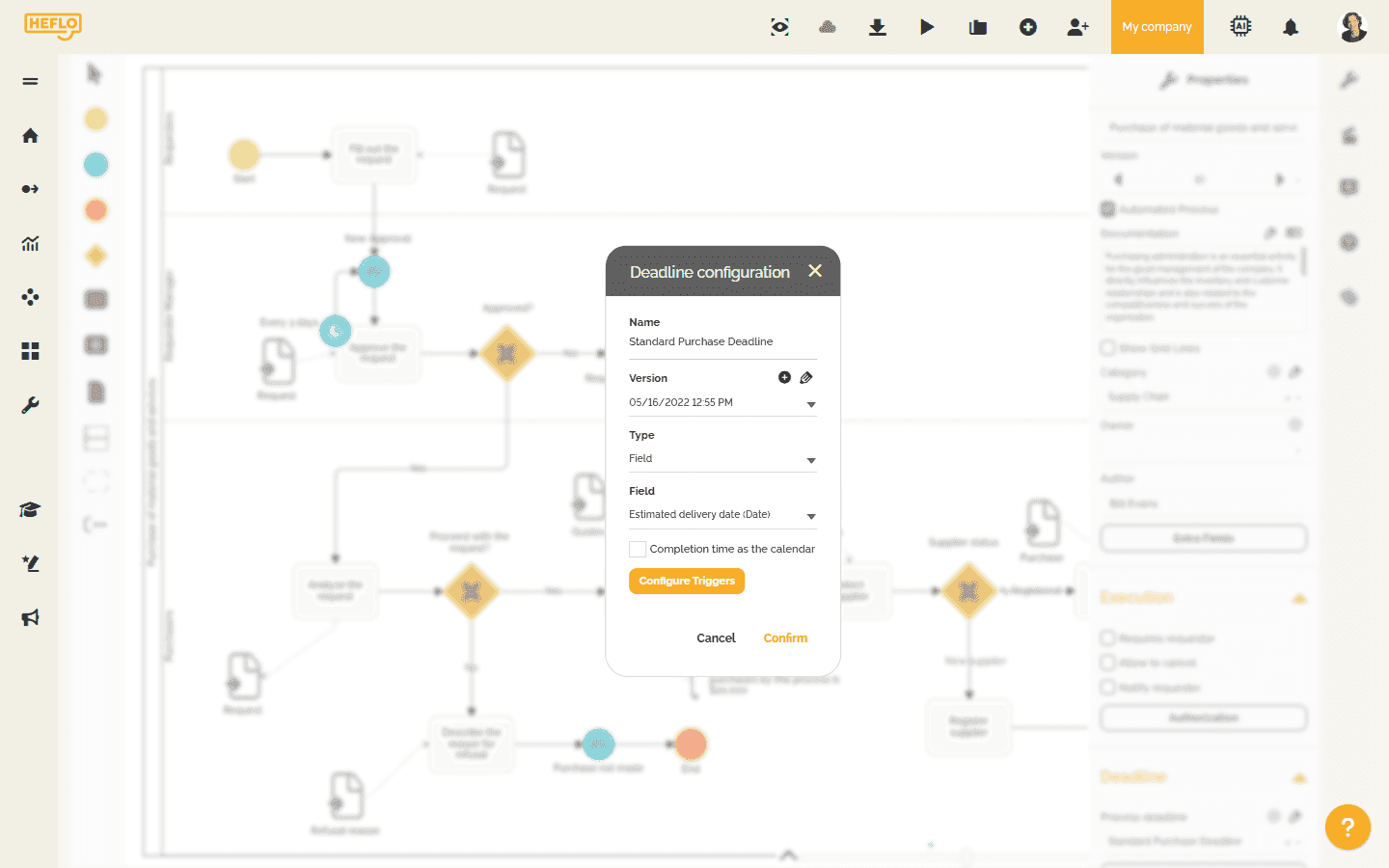
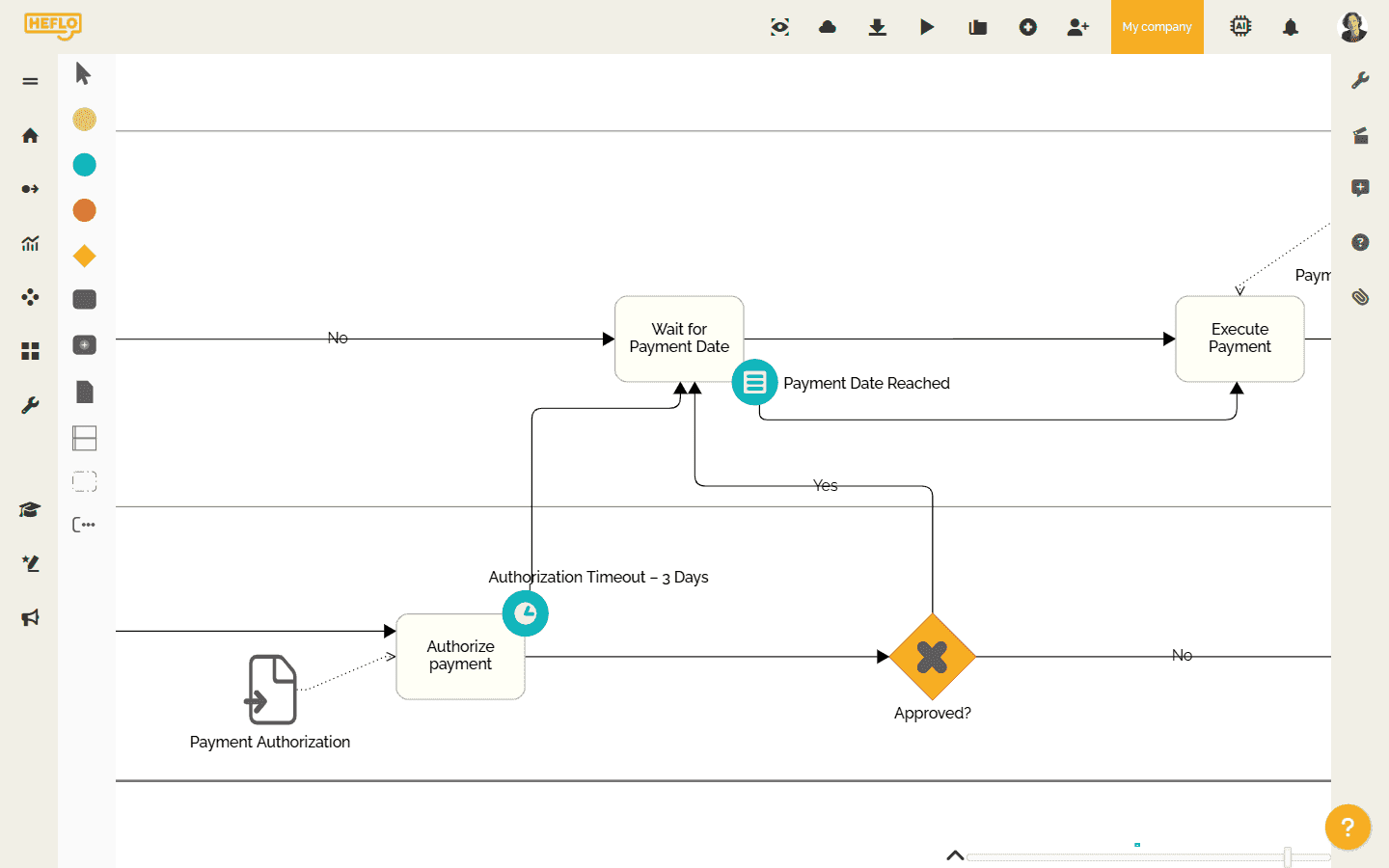
Connect deadlines to the actual workflow logic, not to isolated tasks. HEFLO uses BPMN models and workflow execution so deadlines follow the sequence, rules, exceptions, and ownership of the process.
Talk to our team

Configure task deadlines based on the process deadline

Define task deadlines as a percentage of the overall process deadline when the process needs proportional time control across approvals, reviews, and handoffs.
Talk to our team

Calculate deadlines using fields or fixed time values
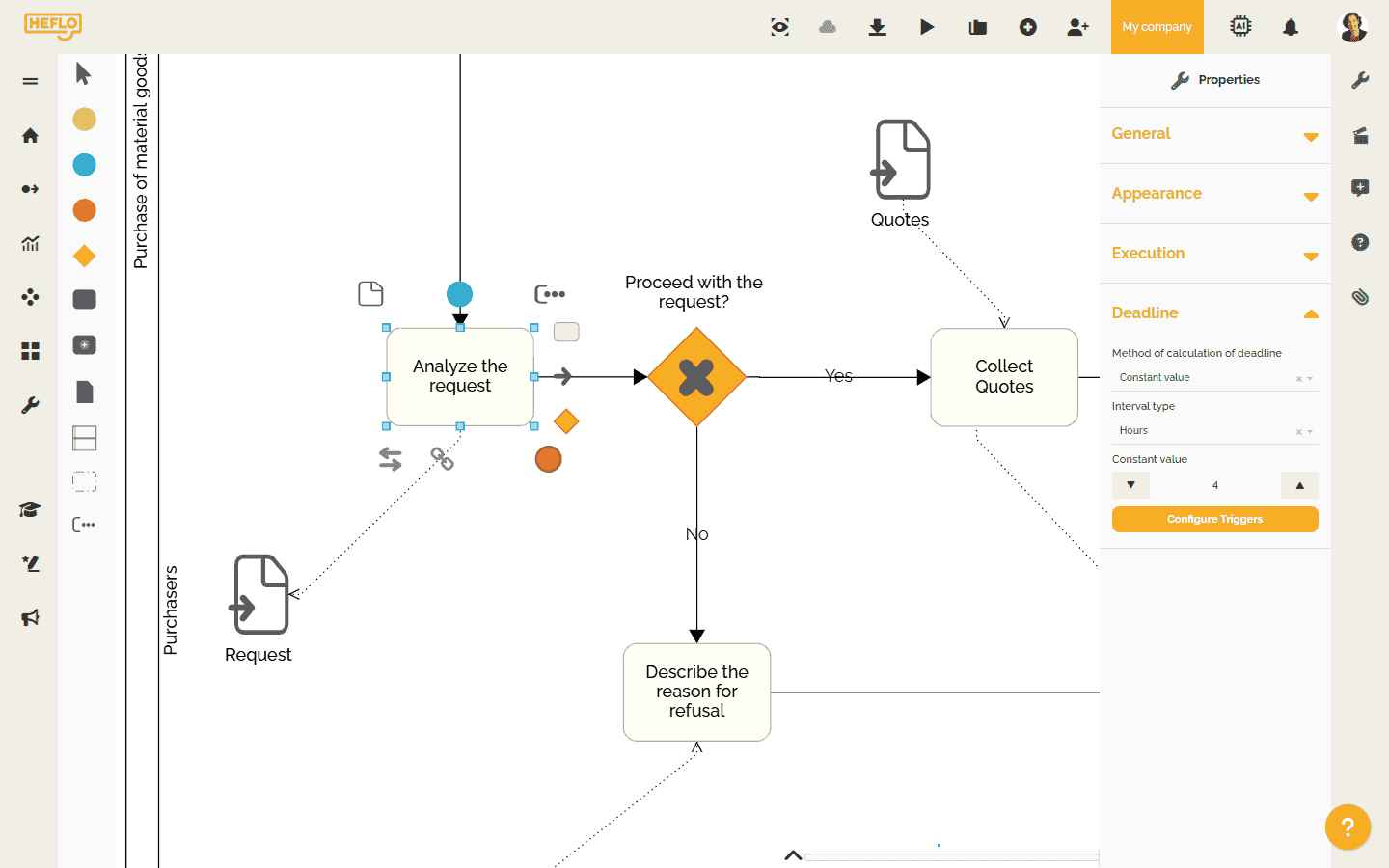
Use fixed durations such as minutes, hours, or days, or calculate deadlines from process fields such as dates, date-times, or numeric time limits.
Talk to our team

Use work calendars

Calculate deadlines based on working hours, holidays, standard calendars, and process-specific calendars so due times reflect how work is actually scheduled.
Talk to our team

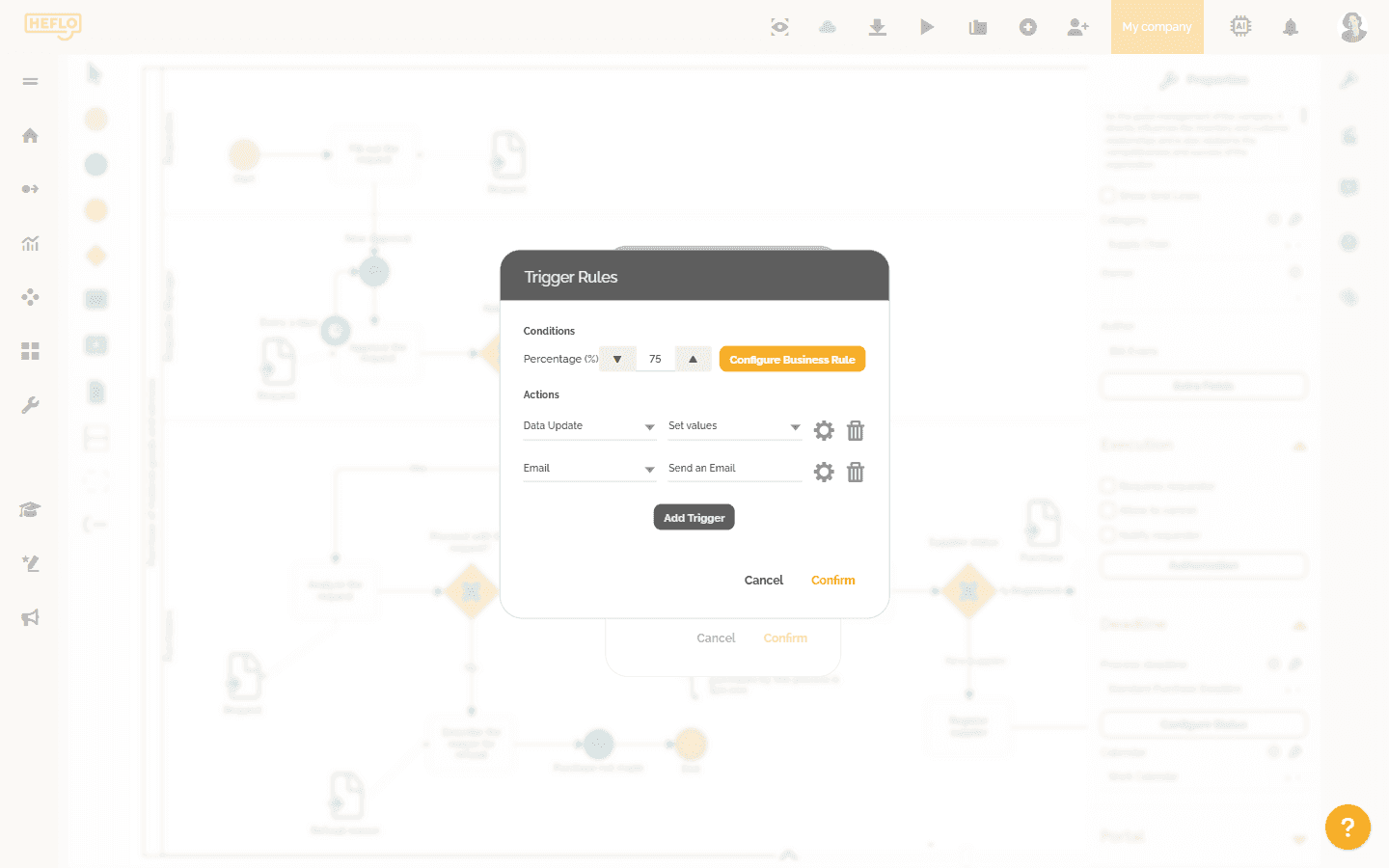
Trigger alerts based on deadline progress
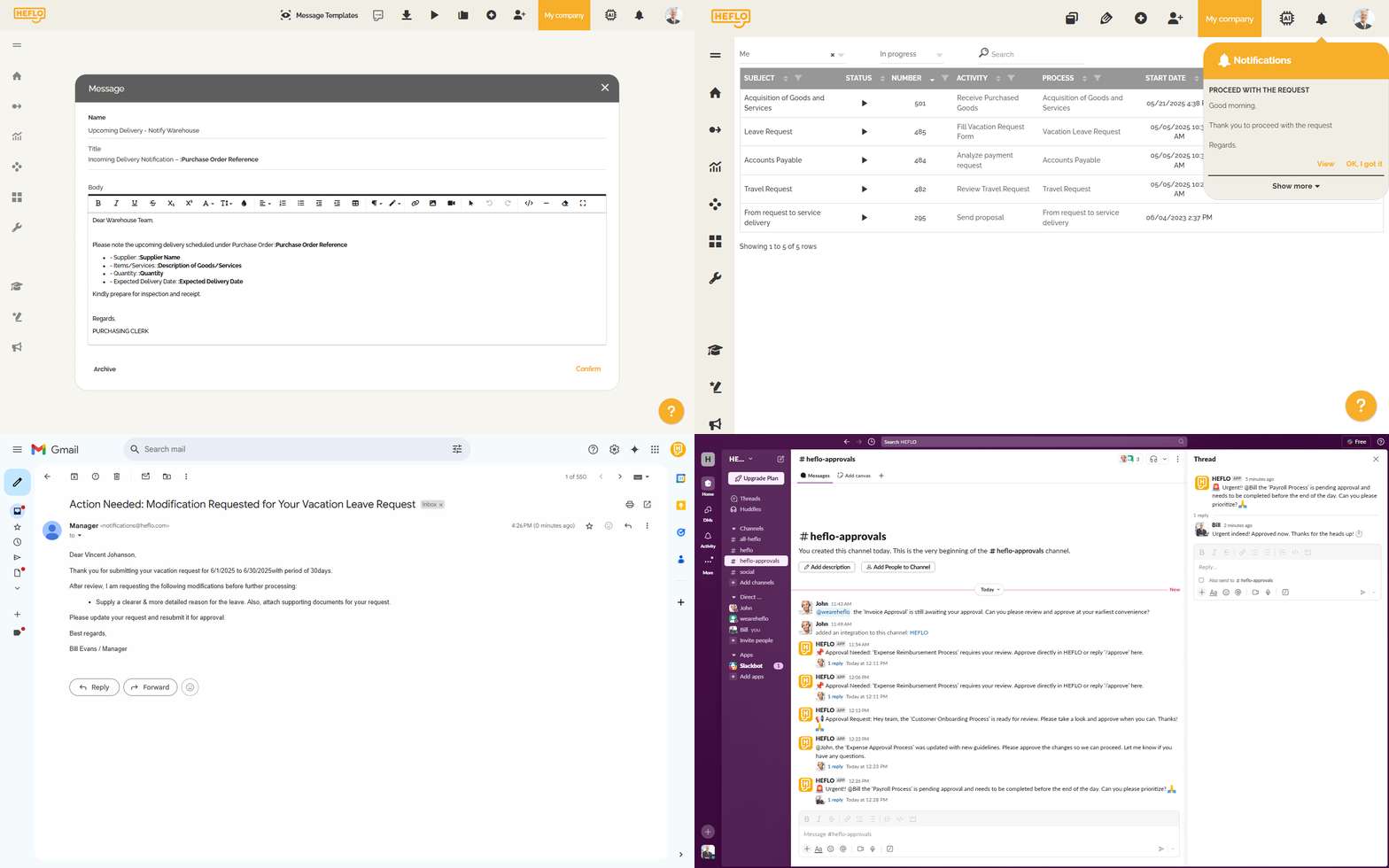
Notify users, managers, participants, or responsible roles before a case becomes overdue. Triggers can run at defined progress points for the process or for a specific task.
Talk to our team

Automate actions when deadlines progress

Send emails, notifications, or Slack messages. Update data, set field values, change responsibility, or cancel a work item when business rules require it.
Talk to our team

Improve visibility in work items, lists, and dashboards
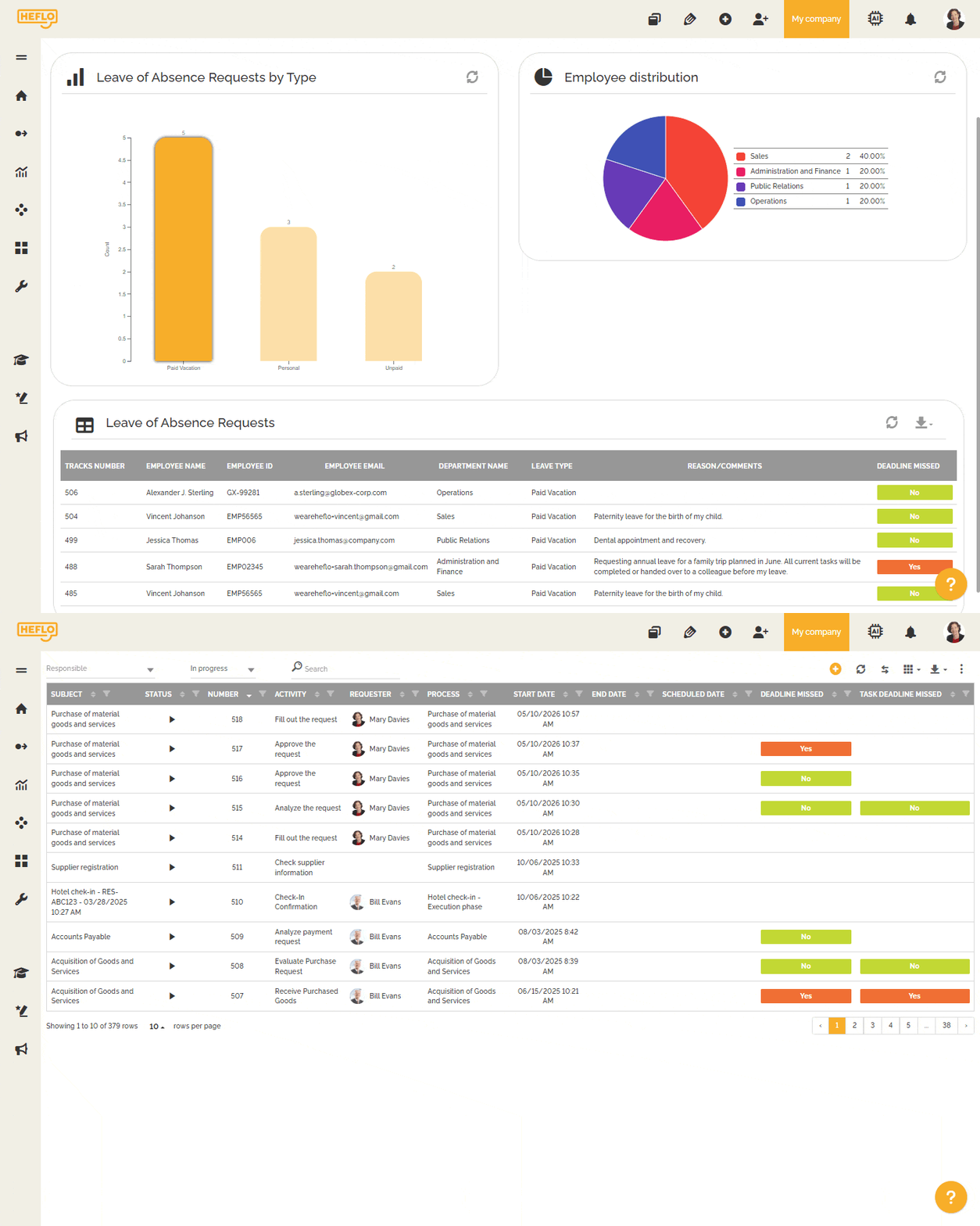
Show remaining time in the work item, display task deadlines in task groupings and history, expose deadline columns in work item lists, and add deadline data to dashboard widgets.
Talk to our team

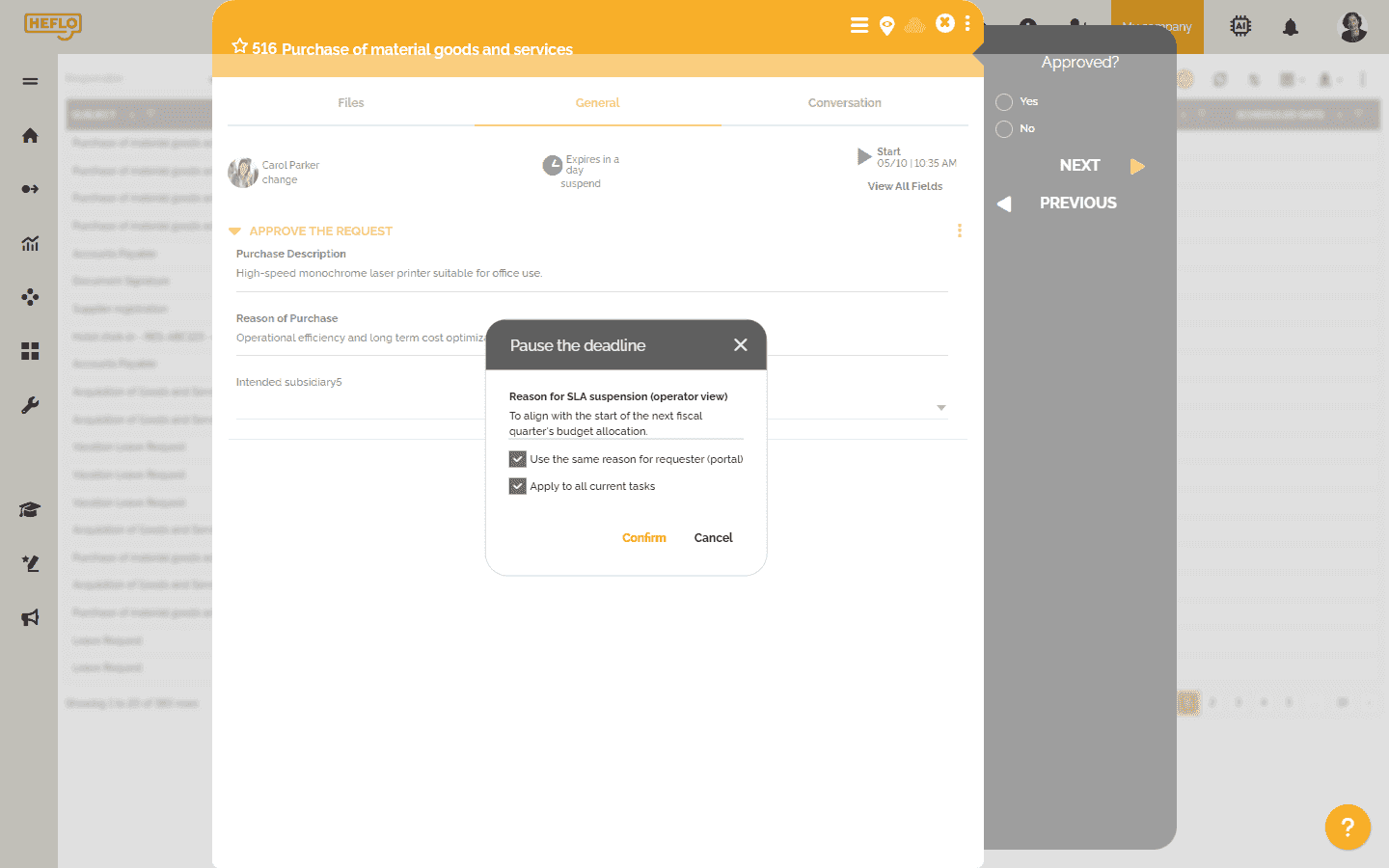
Suspend deadlines with authorization and history

Allow authorized users to suspend a deadline when justified. HEFLO can require a suspension reason and preserve that information in the deadline history.
Talk to our team

Combine deadlines with BPMN logic

Use gateways, timers, boundary events, rules, reusable deadline configurations, and versioned process deadlines to handle complex scenarios without relying on informal exceptions.
Talk to our team

See how HEFLO can help control deadlines inside your business processes

Schedule a demo

What our customers say about HEFLO

Frequently asked questions

Business process deadline control is the practice of managing deadlines inside the flow of work, not only at the final due date. It includes the overall process deadline, deadlines for individual tasks, alerts, escalations, calendars, ownership, and visibility into execution.
Reminders notify people about dates. Process-driven deadline control manages the flow of work. It shows which step is consuming time, who owns the next action, when escalation should happen, and how the deadline relates to the process logic.
Yes, for simple, low-risk work handled by a small team, spreadsheets may be enough. They become limited when the process needs automatic ownership, escalation, traceability, dashboards, calendar-aware calculations, and control across several teams.
A process deadline defines the time interval in which the whole process should be completed. A task deadline defines the time interval for a specific step, such as an approval, review, handoff, or operational task. Both levels are important because final commitments are usually protected step by step.
No. An SLA is a service commitment. Deadline control is one of the operational mechanisms that helps protect that commitment. HEFLO should be understood as a process-driven workflow platform where deadlines support execution, visibility, and escalation inside modeled processes.
Escalation should follow process rules. For example, a trigger can notify a manager at a defined percentage of the deadline, change the responsible person when a task reaches a risk point, or update the deadline level when the process becomes normal, delayed, or critical.
Deadline control becomes useful when it reduces manual chasing and clarifies responsibility. It should not add supervision for its own sake. A good process tells people when to act and alerts managers only when intervention is needed.
Management by exception means normal cases continue without constant manual inspection, while at-risk, critical, blocked, or overdue cases become visible to the right people. This helps managers focus on deviations instead of monitoring every task.
Work calendars make deadline calculation more realistic by considering working hours and holidays. HEFLO can use a standard calendar or specific calendars for certain processes or groups of processes.
Yes. HEFLO can calculate task deadlines using fixed values, process instance fields, or a percentage of the overall process deadline. This helps reserve time for important steps before the final due date is at risk.
Yes. Deadline triggers can support actions such as email, data update, Slack message, notification, responsibility change, field update, or cancellation of a work item when the process rules require it.
Yes. Deadline information can appear in work items, task groupings, task history, work item lists, and dashboard widgets through data source configuration. This gives managers visibility without depending only on manual status updates.
Yes. Authorized users can suspend deadlines when justified. The suspension can be controlled by role, require a reason, and preserve the reason in the suspension history for traceability.
A task manager may be enough for simple assignments. Process-driven deadline control becomes more appropriate when deadlines depend on approvals, rules, handoffs, calendars, responsibility changes, escalation paths, dashboards, traceability, and cross-functional coordination.
HEFLO connects deadlines to BPMN-modeled workflow execution. Teams can define process and task deadlines, use calendars, configure triggers and notifications, manage responsibility, preserve history, and make deadline risk visible before delays become customer-facing.