Business Process Automation
How to Know When a Business Process Needs Automation
Many companies delay process automation because work is still getting done through emails, spreadsheets, reminders, and constant manual coordination.
The real warning sign is not failure. It is the loss of control, visibility, and confidence that work will move correctly without constant intervention.
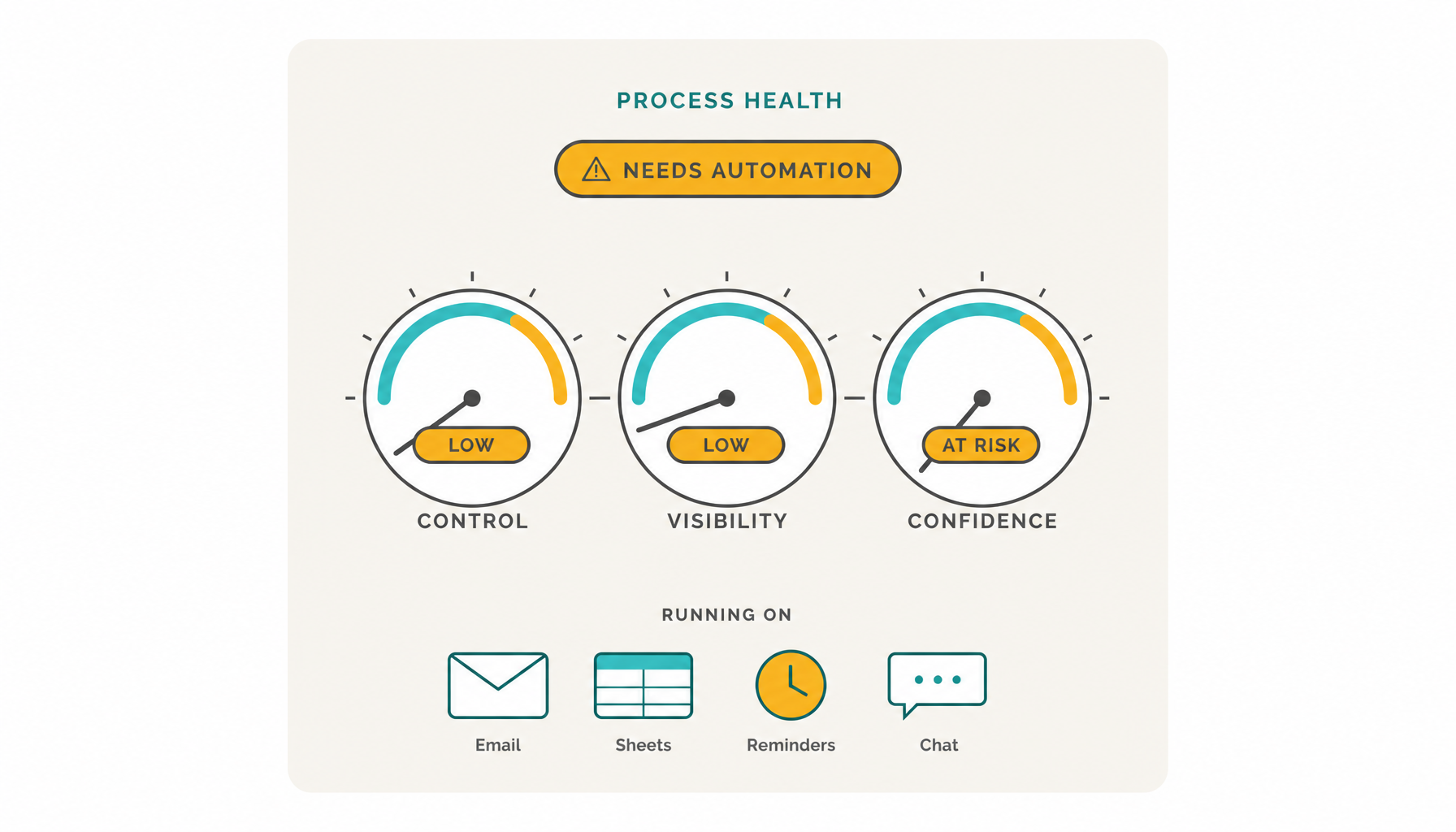

When work only moves because people keep chasing it, the process is no longer under control
Manual coordination can work while volume is low, exceptions are rare, and a few experienced people remember how everything should move.
But as requests grow, handoffs multiply, approvals depend on context, and deadlines become harder to monitor, the organization starts relying on personal attention instead of process logic.
A business process usually needs automation when manual coordination can no longer provide enough control, visibility, consistency, speed, traceability, or scalability.
Signs your process needs automation
Automation readiness often appears as operational friction: status requests, missed deadlines, stuck approvals, informal exceptions, and managers needing to monitor every case manually.
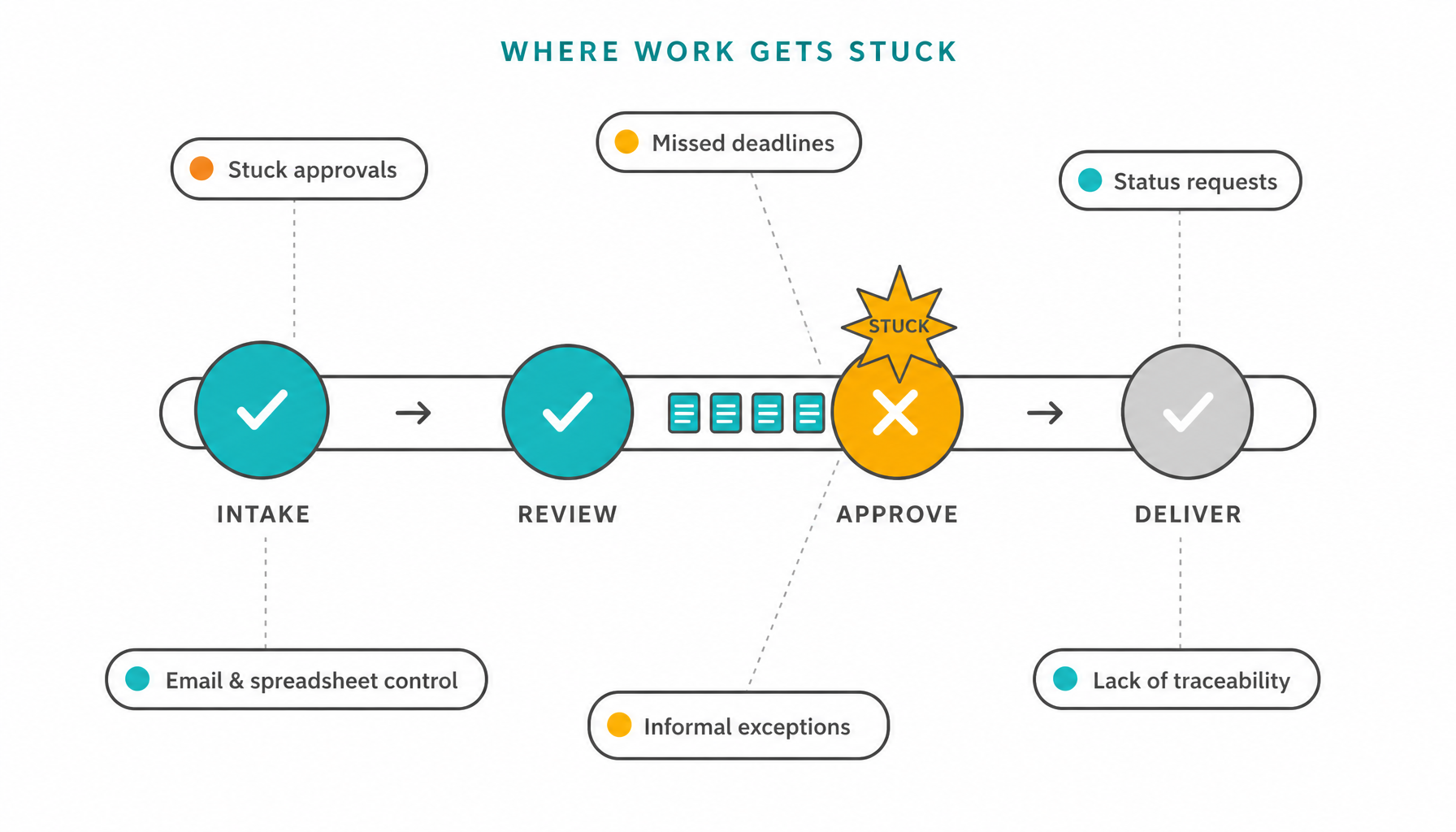
What process automation should control
Business process automation is not only about replacing manual tasks. It should control how work moves, who acts, which rules apply, how deadlines are monitored, and when exceptions require attention.

Automatically move work to the right step, role, or team.

Make ownership clear at each point in the process.

Route cases based on conditions, decisions, values, or external information.

Monitor expected completion times and deadline progress.

Notify the right people when work becomes delayed, critical, or blocked.

Record who acted, when, and why.

Show the current status of requests, approvals, tasks, and bottlenecks.

Allow managers to focus on cases that deviate from the expected execution pattern.

Execution driven by the process — not by manual coordination
When manual coordination is no longer enough, the next step is to turn the process into a controlled, executable workflow.
HEFLO helps organizations move from emails, spreadsheets, and follow-ups to process-driven execution with rules, deadlines, visibility, and traceability.
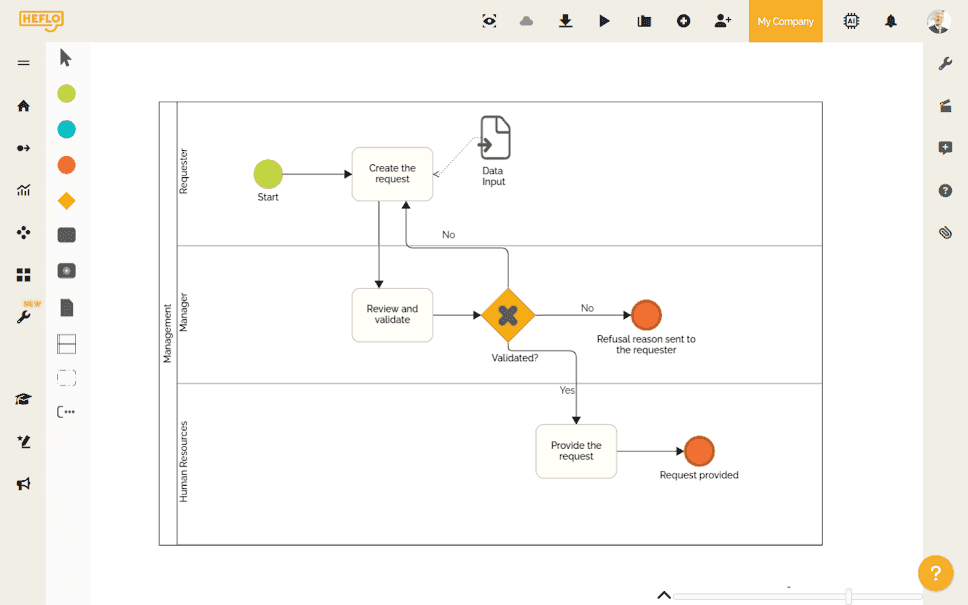
BPMN process modeling
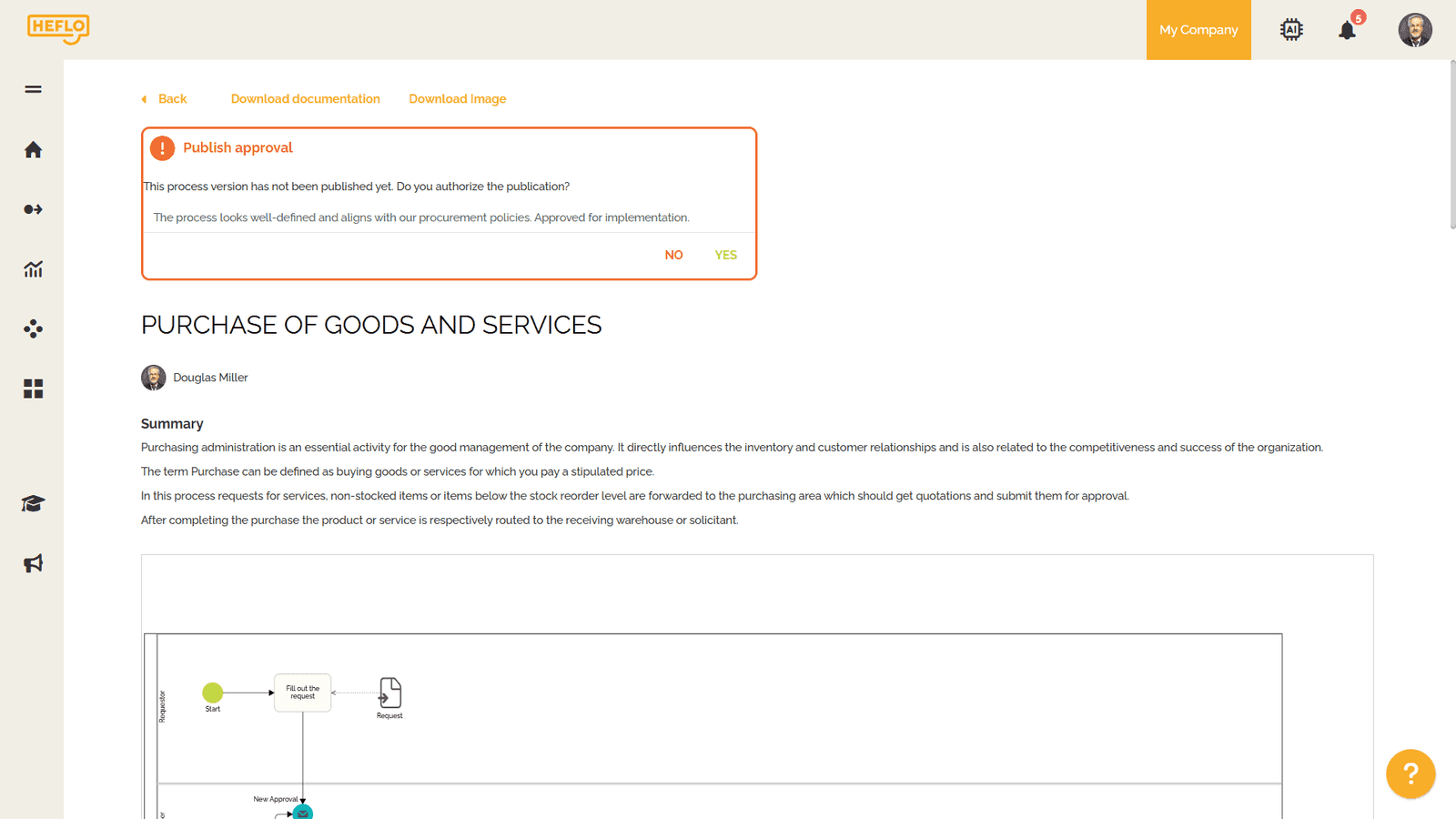
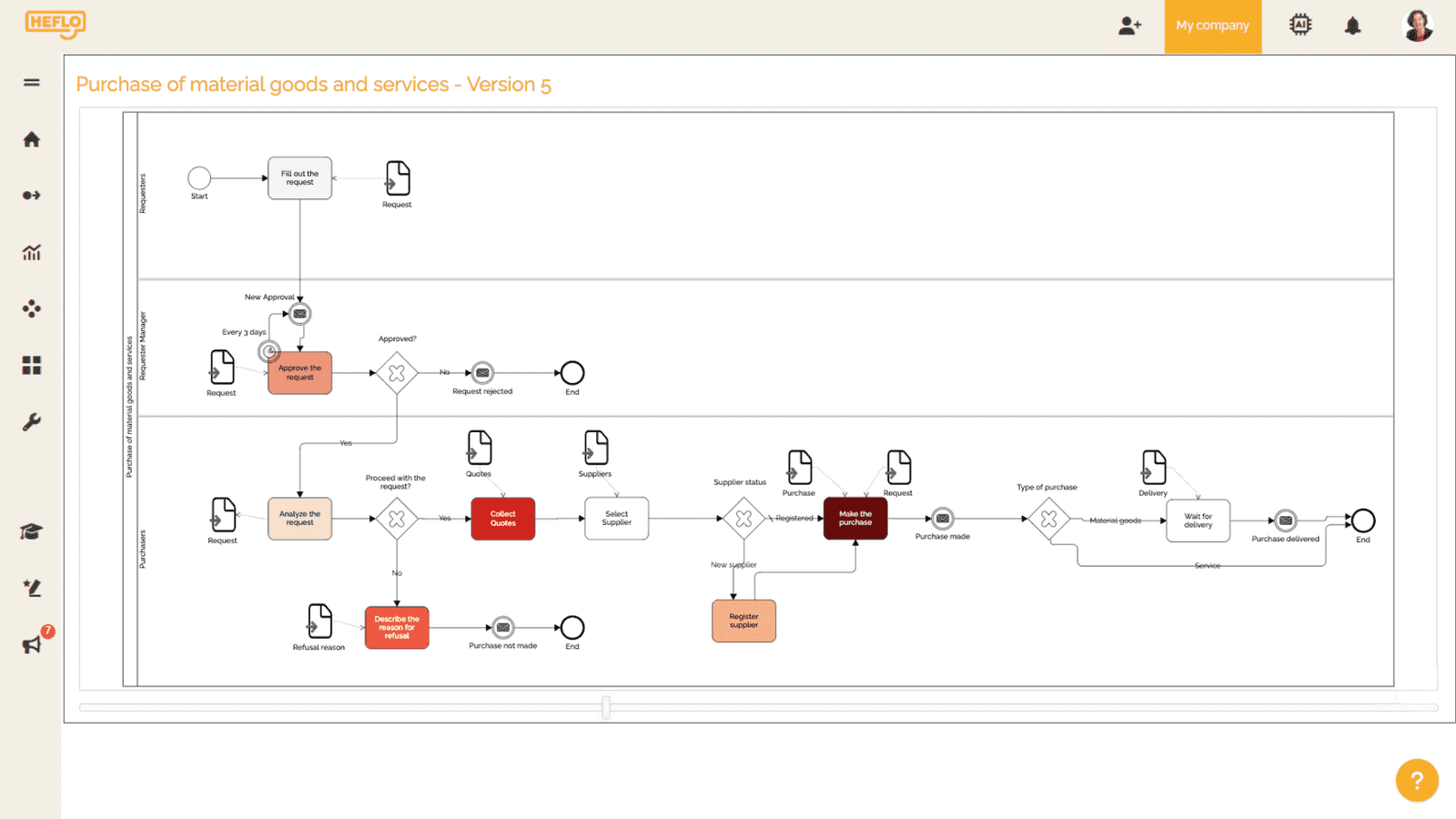
Model the process using BPMN to represent tasks, decisions, responsibilities, events, handoffs, and exceptions in a structured way.
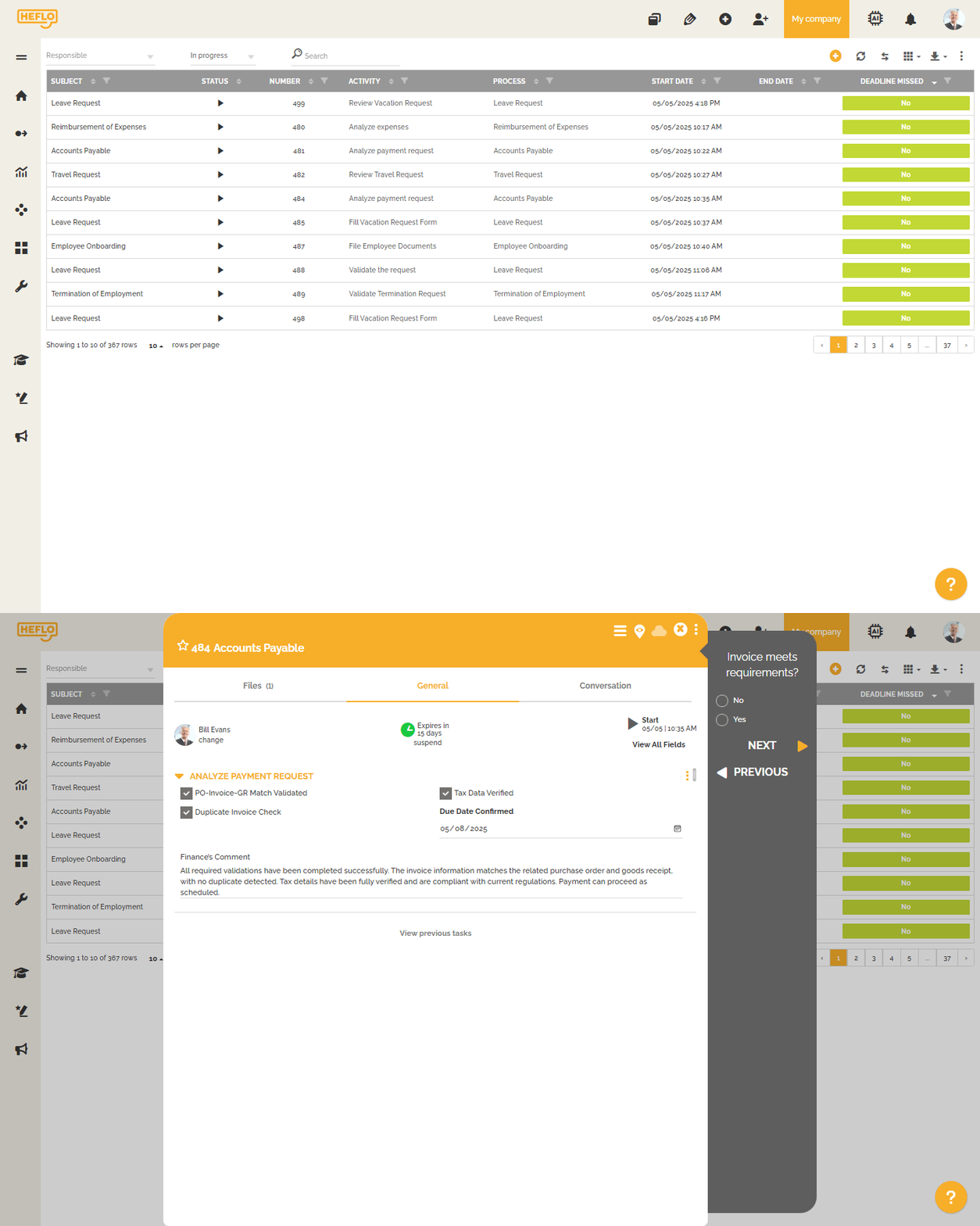
Executable workflows
Turn the process model into a workflow that assigns tasks, moves work forward, and controls execution.
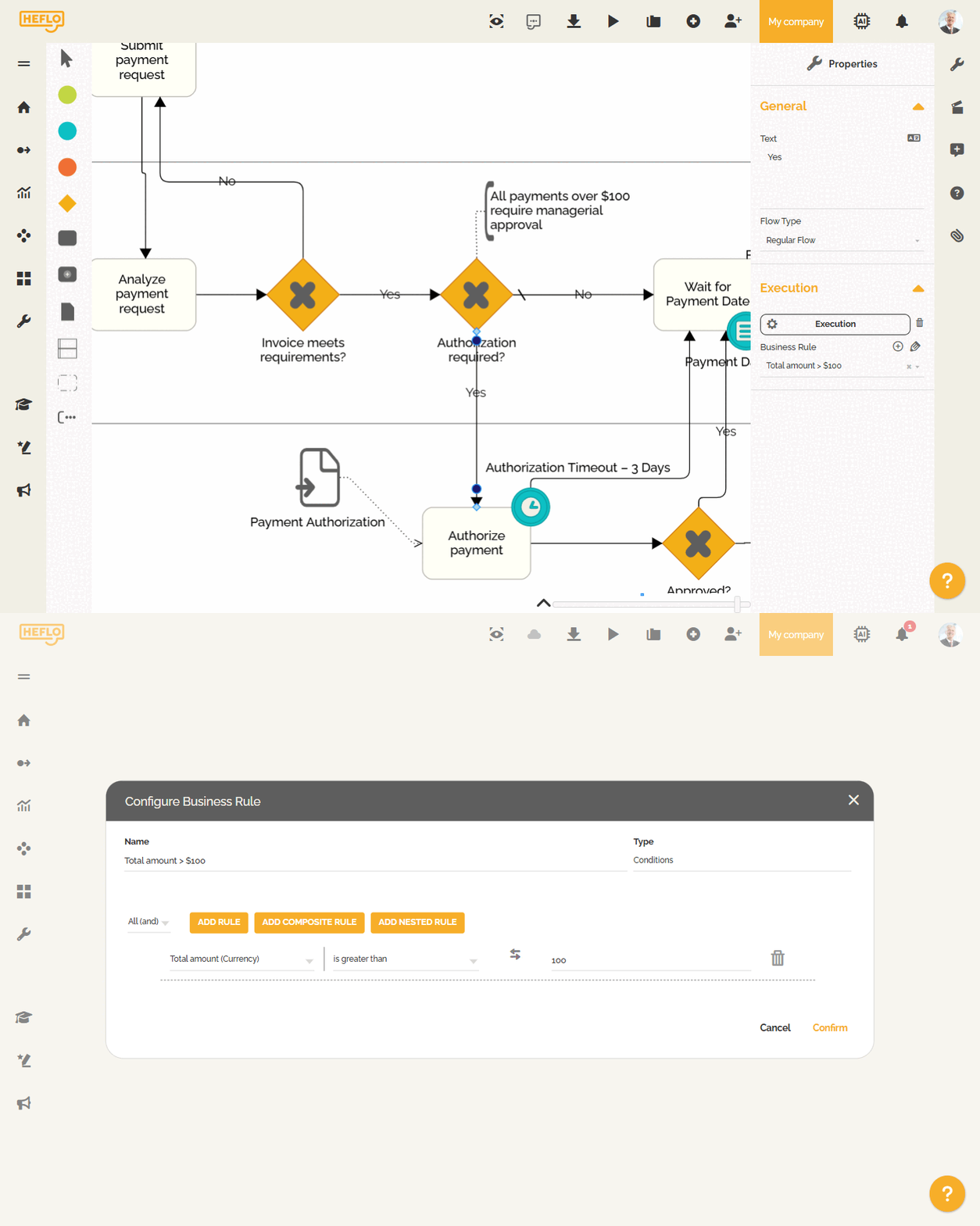
Business rule routing
Use business rules to determine paths, approvals, responsibilities, and routing based on process data.
Approval workflows
Control approval flows with clear responsibilities, task assignment, deadlines, and visibility into pending decisions.
Deadline progress alerts
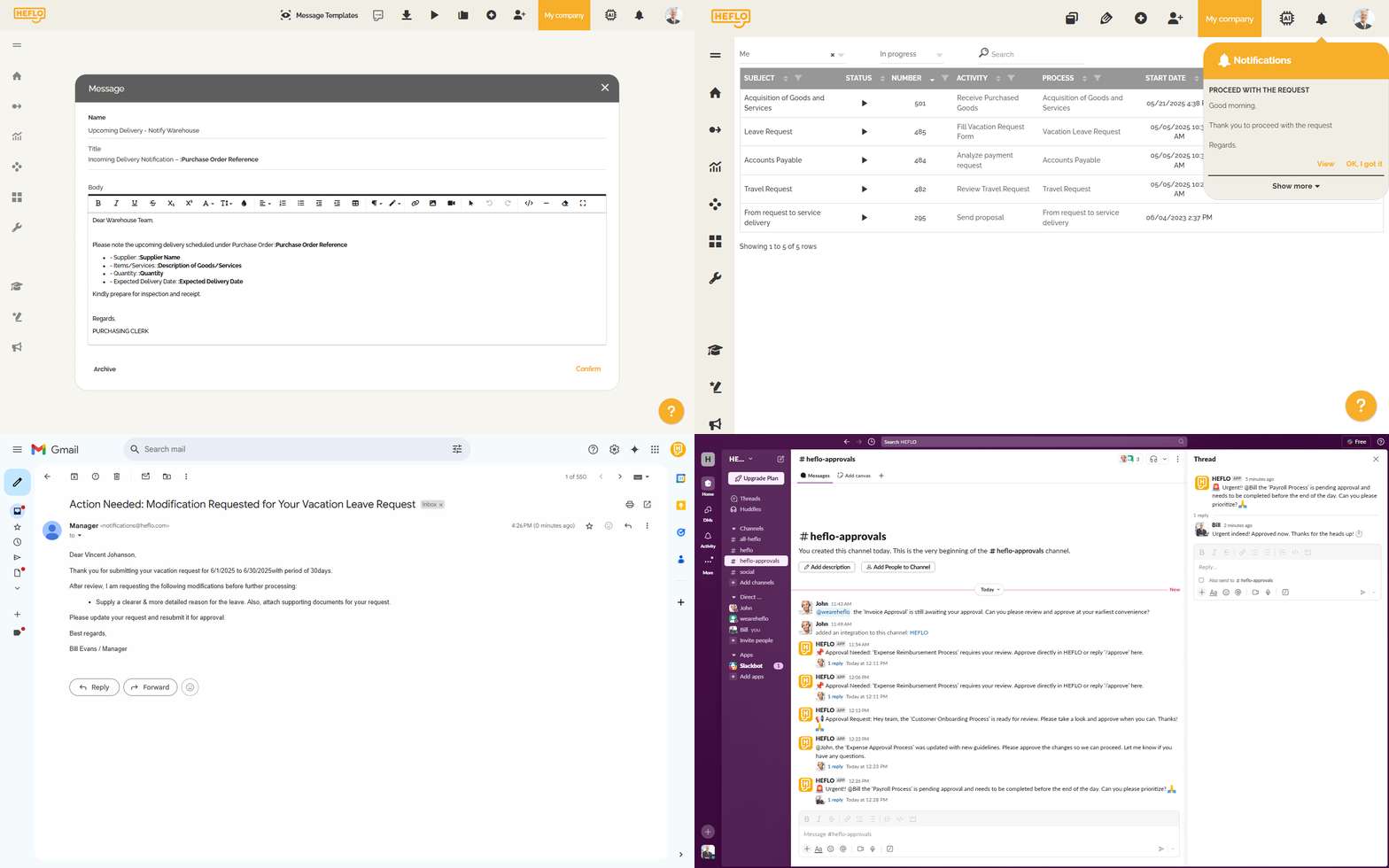
Configure alerts based on deadline progress, such as warning, critical, and overdue stages. These alerts help managers delegate more confidently while preserving control.
Escalation rules
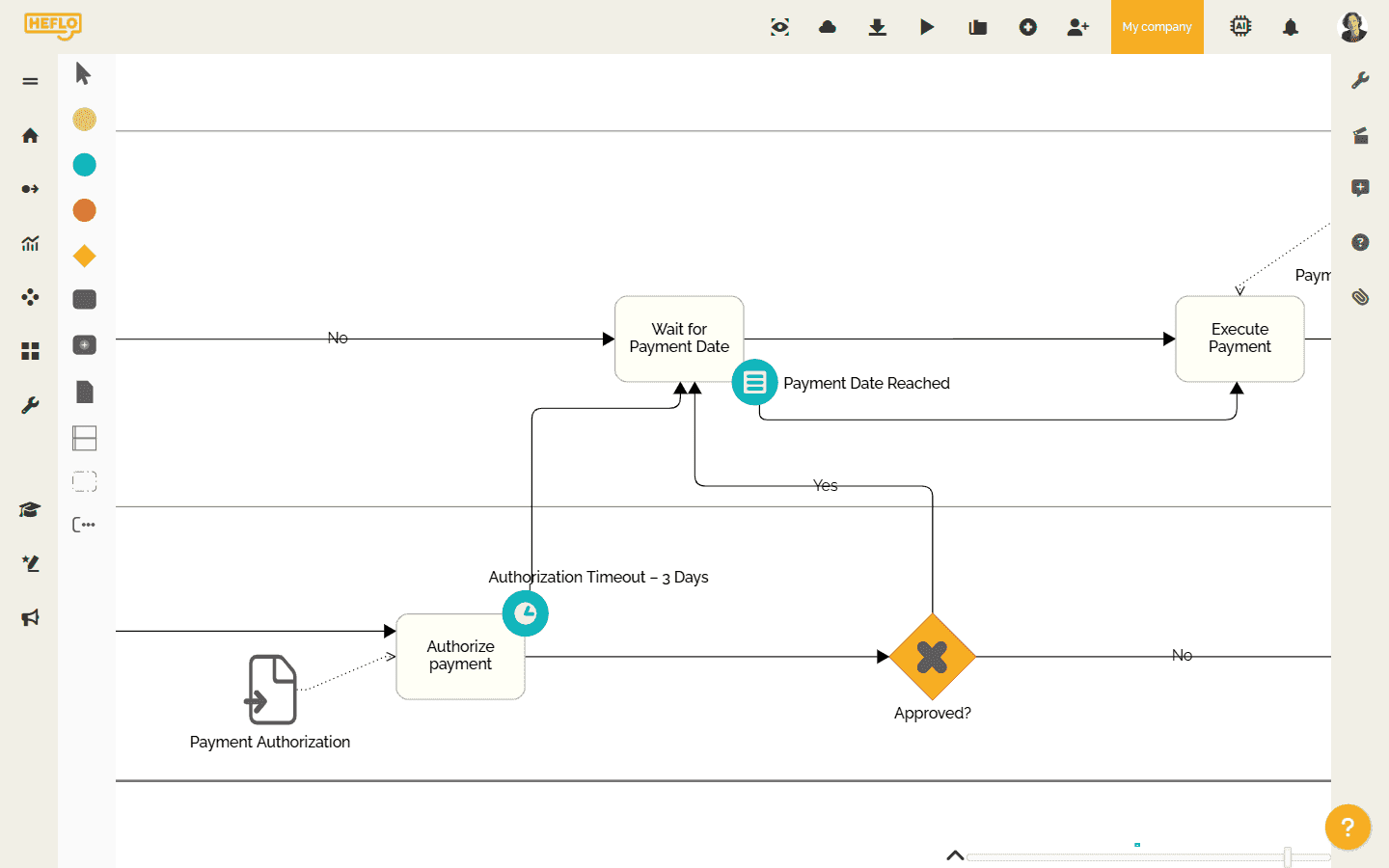
Escalate delayed or blocked cases to the right people when the process deviates from the expected pattern.
Process visibility
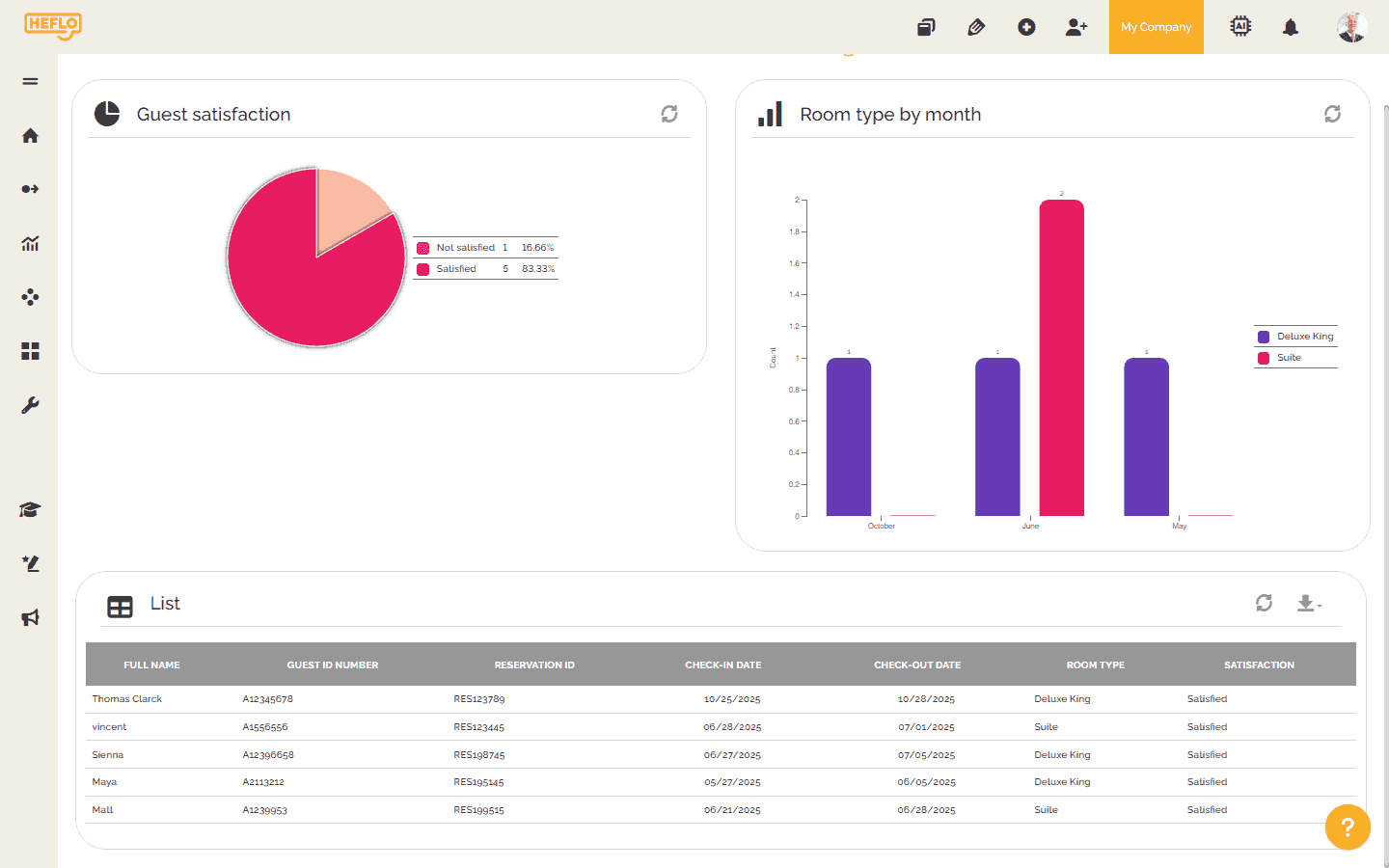
Monitor the status of requests, tasks, approvals, and bottlenecks across the process.
Traceability and governance
Maintain a record of actions, decisions, responsibilities, and process history to support control, auditability, and continuous improvement.

Ready to turn manual coordination into a controlled workflow?
Schedule a demoWhat our customers say about HEFLO
Frequently asked questions about process automation readiness
A process is a strong automation candidate when manual coordination no longer provides enough control, visibility, consistency, speed, traceability, or scalability. Common signs include email-based tracking, repeated status requests, stuck approvals, missed deadlines, informal exceptions, and managers needing to monitor every case manually.
The first sign is often loss of visibility. Work may still be getting done, but nobody can easily see where each request is, who owns the next step, whether deadlines are at risk, or which cases need attention.
Workflow automation usually routes work through a defined sequence of steps. Business process automation goes further by controlling an end-to-end process with business rules, responsibilities, deadlines, exceptions, visibility, traceability, and governance.
No. Some processes should first be clarified, simplified, or standardized. Automation works best when the organization understands what starts the process, which steps are required, who is responsible, which rules apply, and how deadlines and exceptions should be handled.
A process may be too unclear to automate, but not necessarily too complex. Complex processes can often be automated when their rules, roles, deadlines, decisions, exceptions, and handoffs are clear enough to be executed consistently.
The first step is to define enough process clarity for execution: the trigger, expected outcome, main steps, responsibilities, rules, deadlines, alerts, escalations, exceptions, and systems involved. This does not require a large documentation project, but it does require operational clarity.
Good candidates include approval workflows, purchase requests, accounts payable, employee requests, incident management, customer support escalation, contract review, onboarding, change requests, compliance reviews, service requests, and budget approvals. These processes often involve handoffs, deadlines, approvals, audit needs, and recurring exceptions.
Automation helps managers delegate by making the process itself monitor work progress. Instead of manually checking every task, managers can be alerted when a deadline reaches a warning stage, becomes critical, is breached, or when an approval or exception requires intervention.
Management by exception means managers do not need to watch every task. The standard flow runs according to predefined rules, responsibilities, and deadlines, while managers are alerted when a case deviates from the expected pattern and requires attention.